

Few queries cause more confusion in the charity sector than the price of a CRM. One website says Salesforce is free, the other lists a long set of fees, and a board is left thinking which of the claims are true.
The true answer sits between the two. Some of the organisations pay nothing for their initial licenses, but almost every organisation pays for something else. Let’s explore where the money actually goes, so that you can plan with confidence.
Is Salesforce Really Free for Charities?
With the Power of Us Programme, eligible nonprofits can receive 10 Nonprofit Cloud or Sales and Service Cloud licences for free, according to Salesforce’s pricing. For small teams, this can eliminate licence costs, but the overall Salesforce for Nonprofits cost includes other expenses, such as implementation, customisation, training, and Salesforce managed services.
Eligibility is the first step. Nonprofits should review Salesforce’s eligibility guidelines and apply through the Power of Us portal using a Trailblazer ID. Checking eligibility early helps organisations plan their CRM budget and avoid unexpected costs.
What Do Licences Cost After the Free Tier?
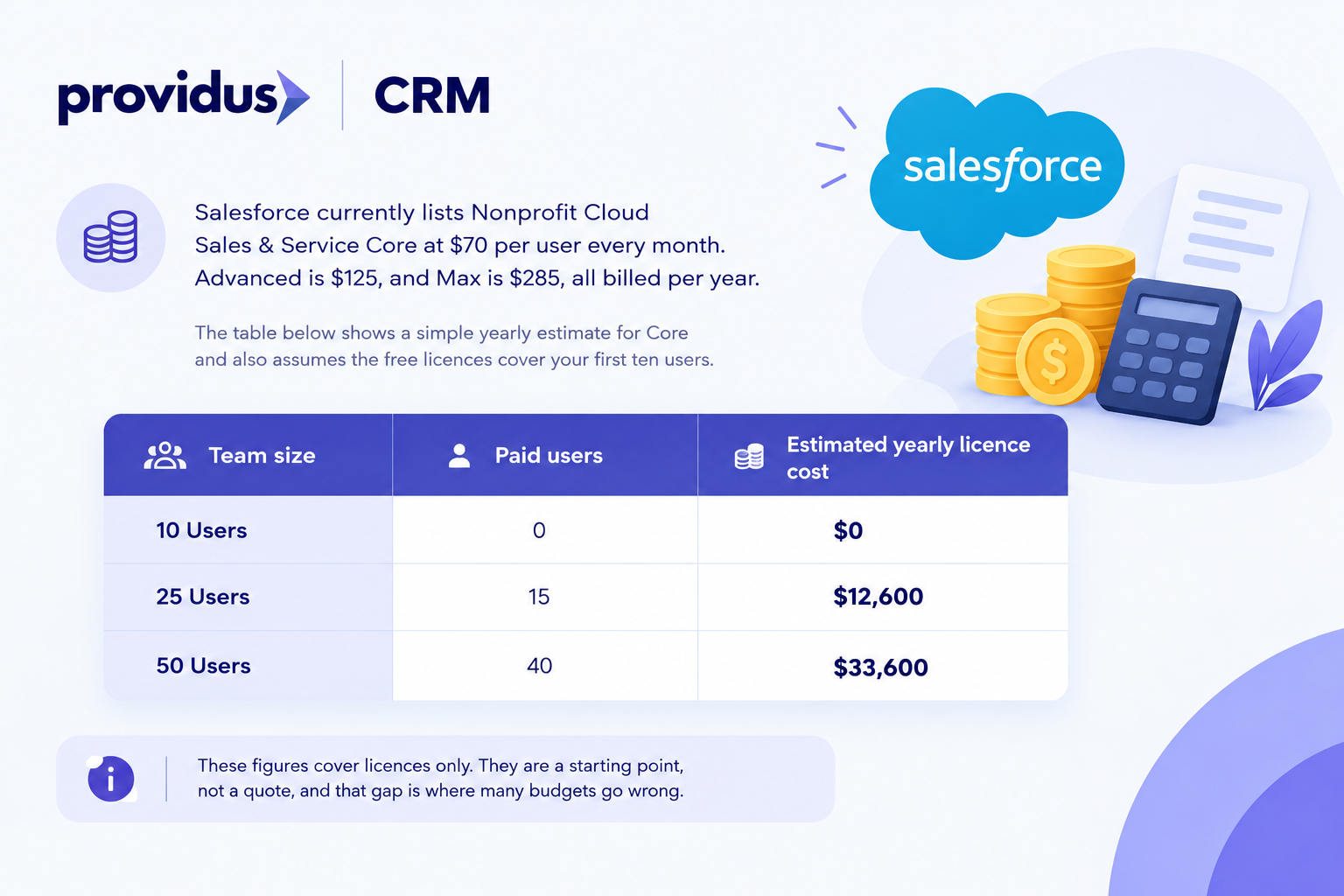
Salesforce currently lists Nonprofit Cloud Sales & Service Core at $70 per user every month. Advanced is $125, and Max is $285, all billed per year. Moreover, the Core is the foundation edition. Advanced adds more storage, automation, and security, while Max adds the largest AI credit allowance and unmetered analytics usage.
Moving further, prices are listed in US dollars and Euros, so your pound cost will directly move with the exchange rate. The table that is shown below shows a simple yearly estimate for Core and also assumes the free licences cover your first ten users.
| Team size | Paid users | Estimated yearly licence cost |
|---|---|---|
| 10 Users | 0 | $0 |
| 25 Users | 15 | $12,600 |
| 50 Users | 40 | $33,600 |
These figures cover licences only. They are a starting point, not a quote, and that gap is where many budgets go wrong.
What Else Shapes Your Cost of Salesforce for Nonprofits?
The biggest surprise for most of the charities is that licences are hardly the largest bill. The work around the licences mainly matters more. Here are the main areas to budget for:
- Implementation: Configure the platform around the programmes, fundraising and reporting needs as covered by Salesforce Implementation Services.
- Data migration: Cleaning and moving records from spreadsheets or an older database through Salesforce Migration Services
- Integrations: Connecting email tools, donation pages and finance systems with Salesforce Integration Services.
- Training: Helping both volunteers and staff use the system properly.
- Ongoing support: The Premier Success Plan of Salesforce costs 30% of the net licence fees, while Salesforce managed services cover fixes, admin and improvements.
- Add-ons: Marketing Cloud, Experience Cloud and Data 360 are priced through Salesforce directly.
Scope drives most of these costs; a charity with one fundraising team and also a single donor list has a simple build, while an organisation running volunteers, grants and several programmes requires far more design time.
The Charity Digital Skills Report 2026 has found that 44% of charities named training as their biggest funding need. The same summary also tells us that 59% see building skills as a key focus for the year ahead, so the demand is unlikely to fade away.
The 2025 edition of the report that is listed on the EU Digital shows us that 60% of charities received no support for the digital costs in the last year, and many organisations therefore fund the people side of Salesforce from their own budgets.
How Can You Keep Salesforce for Nonprofits Cost Under Control?
A clear plan always keeps your spending predictable. These six steps that are mentioned below work well for most charities:
- Apply for Power of Us first: Claim the free licences before you buy anything.
- Start small: Choose two or three outcomes for phase one, for instance, donor records and gift tracking.
- Choose the lowest suitable edition: Paying for unused features is one of the most common wastes.
- Clean your data before moving it: Clean records are faster, cheaper, and also safer to migrate.
- Use the free trial: Salesforce offers a 30-day Nonprofit Cloud trial with no credit card.
- Plan for year two: Set aside time and budget for admin, training, and improvements.
How Should You Plan Year One Spending?
You can think of your first year budget as four buckets: licences, build, people and support. Licences are the easiest bucket to price, because Salesforce publishes the figures and the other three depend on your goals, so you should ask for a fixed scope before you agree to a fee.
Moreover, keep a small contingency; most overruns come from records that eventually turn out messier than they were expected, not from the software itself. A good reserve lets you fix problems calmly rather than cutting corners at the last minute.
Finally, explain the budget to the trustees in easy words: what you pay every year, what you pay once, and what you can pause if funding gets tighter.
When Does a Partner Reduce Cost of Salesforce for Nonprofits?
A partner could not lower the licence price, but it can definitely lower the risk of paying twice. Untidy data, poor mapping and unfinished automation are the usual projects overrun. A good partner also prevents these problems before they eventually reach your budget.
So before you choose one, ask these three important questions: Will they train your team to run the system without them? Do they have experience working with charities before? Will they explain every line of the estimate in simple words?
ProvidusCRM is a certified Salesforce partner, and our team mainly supports charities from planning to long-term care. So you can explore our Salesforce Nonprofit Consulting Services in order to have a clear estimate, or contact us for a detailed conversation.
Conclusion
Salesforce can be remarkably affordable for charities, but it is hardly free. The first ten licences remove a high cost, but the setup, data, training, and support still need funding. Understanding the full Salesforce for Nonprofit cost hardly helps you to avoid surprises later.
Moreover, the best approach is simple. You can confirm your eligibility, start small, choose the right edition, and budget for the people side of the project; with this plan, your CRM becomes an investment you can easily explain to trustees with confidence. Mainly, every pound should follow a real need, so you should review your spending each quarter and also adjust as your team grows.
Frequently Asked Questions
1. Can I upgrade my edition later?
Yes, Salesforce allows upgrades and extra products at any time, though some products may need to scale together.
2. Are Salesforce contracts monthly or annual?
Most Salesforce products use annual contracts, so confirm the terms with a Salesforce representative.
3. Is grant management priced differently?
Yes, Nonprofit Cloud for Grantmaking has its own pricing page, so review it separately.
4. Does Power of Us accept every type of organisation?
Eligibility follows Salesforce’s published guidelines, so check them before you apply.
5. Will prices change when my contract renews?
Prices can change over time, so ask for renewal terms in writing before you sign.
6. Where can I see the full nonprofit price list?
Salesforce links to its Nonprofit Cloud pricing guide from its nonprofit pricing page.
