

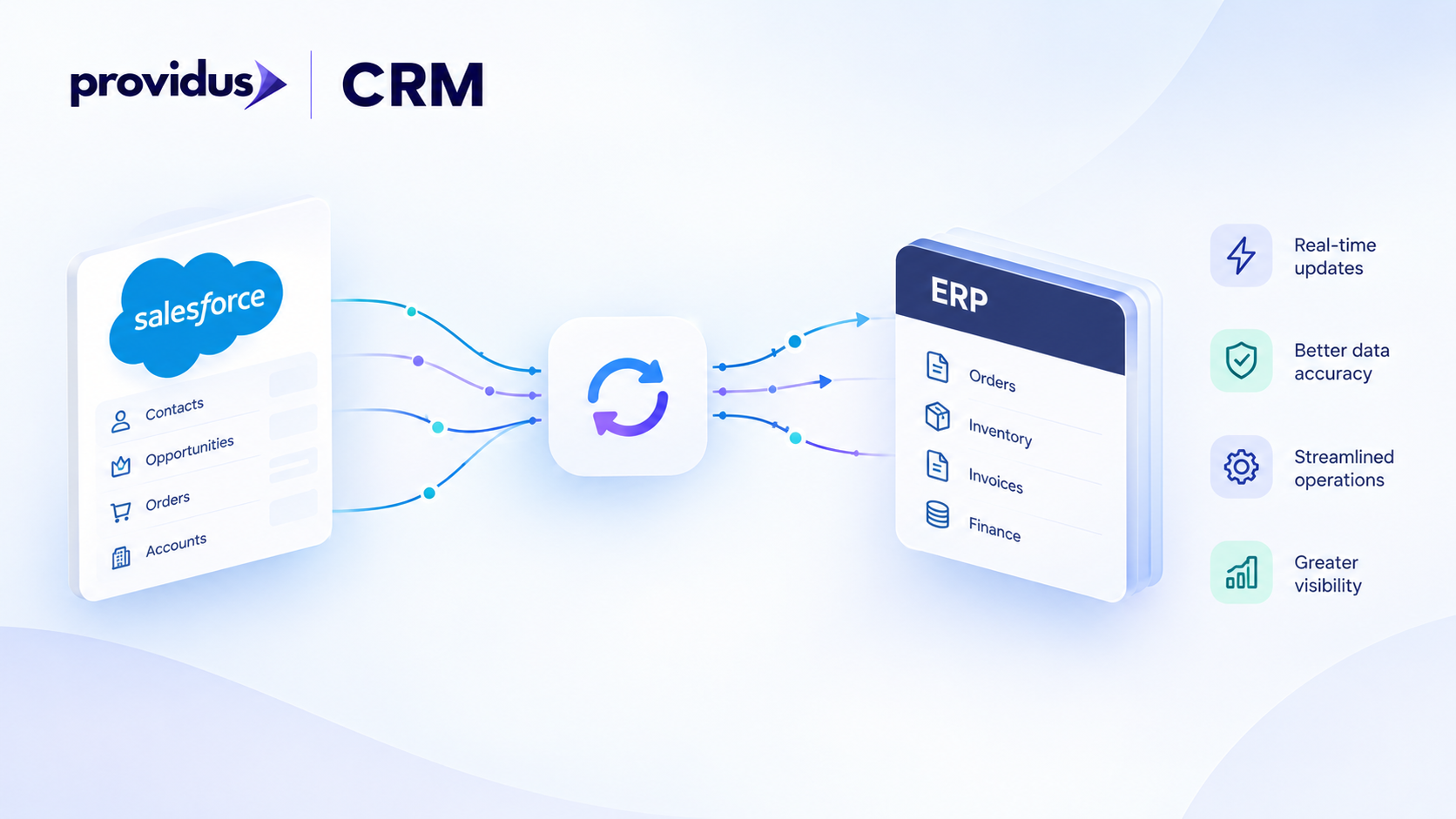
Salesforce ERP integration connects Salesforce with systems such as NetSuite, SAP, Oracle, or Microsoft Dynamics 365 so customer, product, order, invoice, and operational data can move between CRM and finance or operations systems. The right architecture depends on which system owns each data object, how quickly updates are needed, data volume, API limits, and how failures will be monitored and reconciled. In many projects, a hybrid design combines scheduled batch processing for high-volume data with event-driven or API-based updates for time-sensitive workflows.
Ask any CIO or operations leader who has run a CRM and ERP side by side, and the problem is rarely technical at the start. Sales sees one order status; finance sees another. Account managers are chasing invoices that the ERP closed last Tuesday. Teams manually copy data between systems because nobody confirmed which system owns the record.
The hard part of ERP integration with Salesforce is not sending the first API request. It is deciding ownership, direction, timing, data mappings, retry behaviour, and who manages the exception queue when something goes wrong at 2am.
This guide compares direct APIs, native connectors, middleware, batch, event-driven, and hybrid methods, then gives a staged planning checklist for organisations that want to approach the decision with enough rigour to avoid rebuilding the integration twelve months later.
What is Salesforce ERP integration and why does architecture come first?
Salesforce ERP integration is the discipline of connecting Salesforce CRM with a separate ERP system so that selected data objects, process events, and status updates can move between the two platforms in a controlled, predictable way. Salesforce Trailhead describes system-of-record definition as a core architecture activity that should precede any connector or API selection. The reason is straightforward: an integration that moves data in the wrong direction, at the wrong frequency, without clear ownership, creates conflict rather than clarity.
Architecture must come first because every downstream decision, API choice, middleware investment, data mapping, and monitoring design depends on three prior answers: which system owns each object, in which direction data flows, and how quickly that data needs to move.
Which system should own each data object?
Ownership is not a platform decision. It is an object-level decision, and it should be made before any technical design begins. The table below shows an illustrative ownership model. Real mappings will depend on your specific systems, processes, and governance.
Note: This table is an illustrative planning model, not a verified client architecture.
| Object | Typical owning system | Direction | Timing | Recovery owner |
|---|---|---|---|---|
| Account / Customer | Salesforce (CRM-led) or ERP (finance-led) | Bidirectional with conflict rules | Near-real-time or daily sync | Integration team |
| Product / Price Book | ERP | ERP to Salesforce | Scheduled batch | ERP team |
| Opportunity | Salesforce | One-way to ERP on close | Event-driven | CRM team |
| Opportunity | Salesforce | One-way to ERP on close | Event-driven | CRM team |
| Order | ERP (order of record) | ERP to Salesforce for status | Event-driven or scheduled | ERP team |
| Invoice | ERP | ERP to Salesforce (read-only) | Scheduled batch | Finance team |
| Payment / Settlement | ERP | ERP to Salesforce | Scheduled batch | Finance team |
| Inventory | ERP | ERP to Salesforce (summary) | Scheduled batch | Operations team |
What business problems does ERP integration solve?
The commercial case is usually one of three things: eliminating manual rekeying between CRM and finance systems, giving sales teams order and invoice visibility without ERP access, or triggering fulfilment and invoicing workflows directly from a Salesforce opportunity or order record. Each use case has a different latency requirement, volume profile, and failure consequence, which is why ownership must be decided per object rather than per platform.
What data should move between Salesforce and an ERP?
Not all ERP data should be replicated into Salesforce, and not all Salesforce data should be written to the ERP. Before mapping a field, apply a brief scope test: what business decision does this data support, who owns it, how fresh does it need to be, what is the consequence if it is delayed or incorrect, and how sensitive is it? Salesforce integration services can help ensure that only the right data is synchronised between systems based on these requirements.
Common data flows from Salesforce to the ERP
- Closed-won opportunity converted to an ERP order or sales order record
- Account or customer information created or updated in Salesforce pushed to ERP master data
- Salesforce product configuration or CPQ output sent to the ERP for fulfilment processing
Common data flows from the ERP to Salesforce
- Order status and line-item progress made visible to sales and account management teams
- Invoice status and payment receipt surfaced on the Salesforce account or opportunity record
- Product catalogue, pricing and inventory summary published to Salesforce for quoting
Data that may be better queried than replicated
Some ERP data is large, volatile or sensitive enough that replication into Salesforce creates more risk than value. General ledger detail, granular stock movements and tax calculation outputs are often better accessed on demand through Salesforce Connect or a virtualisation layer than copied in bulk. The decision should weigh data freshness, API limits, volume and the access needs of the users who will see the data in Salesforce.
How do you choose a Salesforce ERP integration architecture?
The Salesforce Architects integration decision guides identify landscape complexity, data volume, timing requirements, transformation ownership, maintainability and platform limits as the primary selection criteria. No single architecture is universally correct. The conditional table below should be treated as a starting framework.
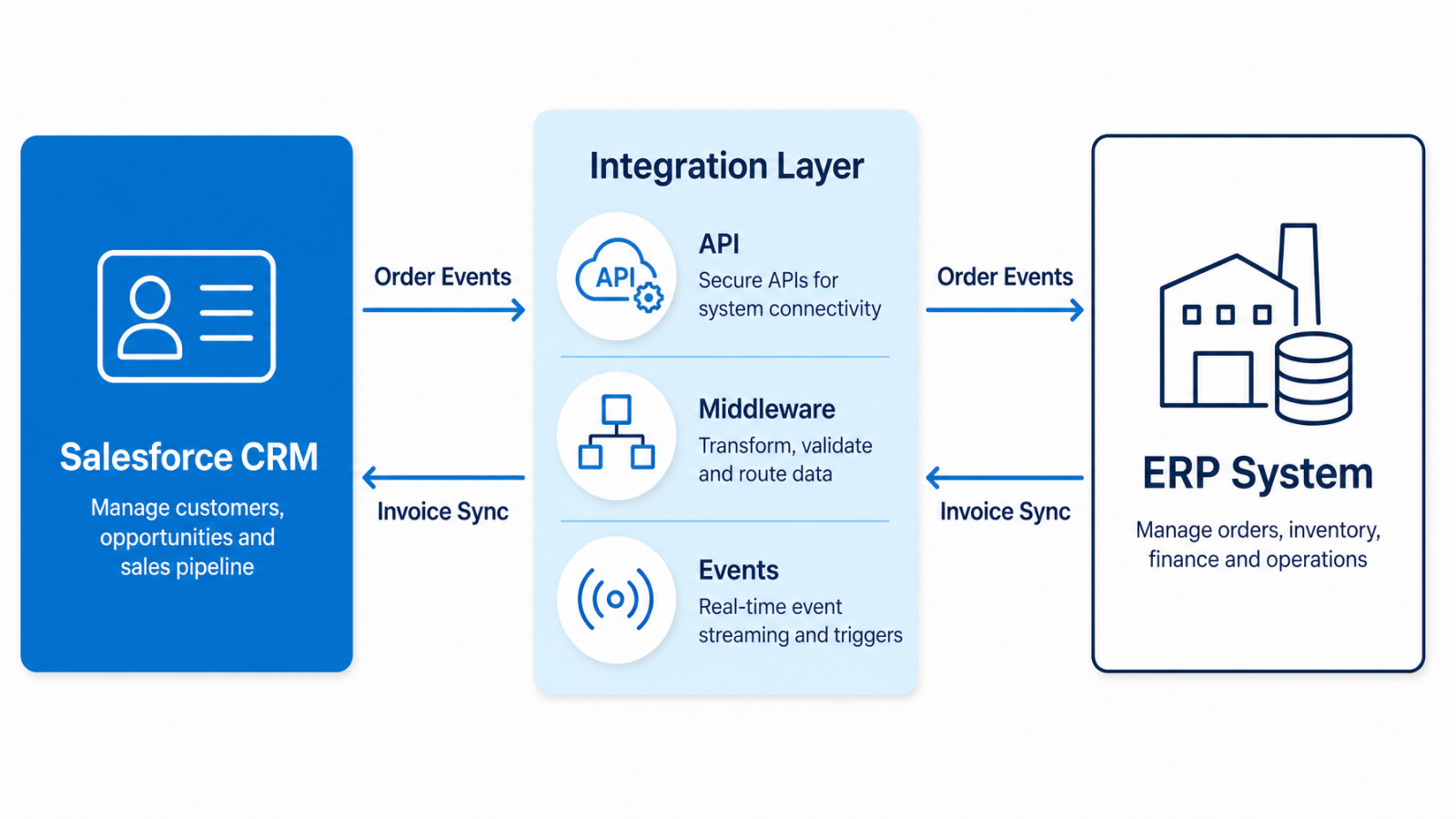
| Architecture | Choose this when | Main benefit | Main risk | Questions to verify |
|---|---|---|---|---|
| Direct API integration | One ERP, limited objects, low volume, stable interfaces | Low overhead, fast to build | Tightly coupled, harder to maintain at scale | API version support, rate limits, retry design |
| Native or pre-built connector | Supported ERP with documented connector scope | Faster initial delivery, vendor-maintained | Supported objects may not cover every requirement | Exact connector version, supported operations, authentication method |
| Middleware (e.g. MuleSoft) | Multiple systems, complex transformations, centralised monitoring | Reusable routing, error handling, canonical model | Higher licence and maintenance investment | Transformation ownership, error queue design, support model |
| Hybrid architecture | Mixed data flows with different latency and volume requirements | Matched method to each flow | More components to operate and monitor | Who owns each layer, how failures surface across layers |
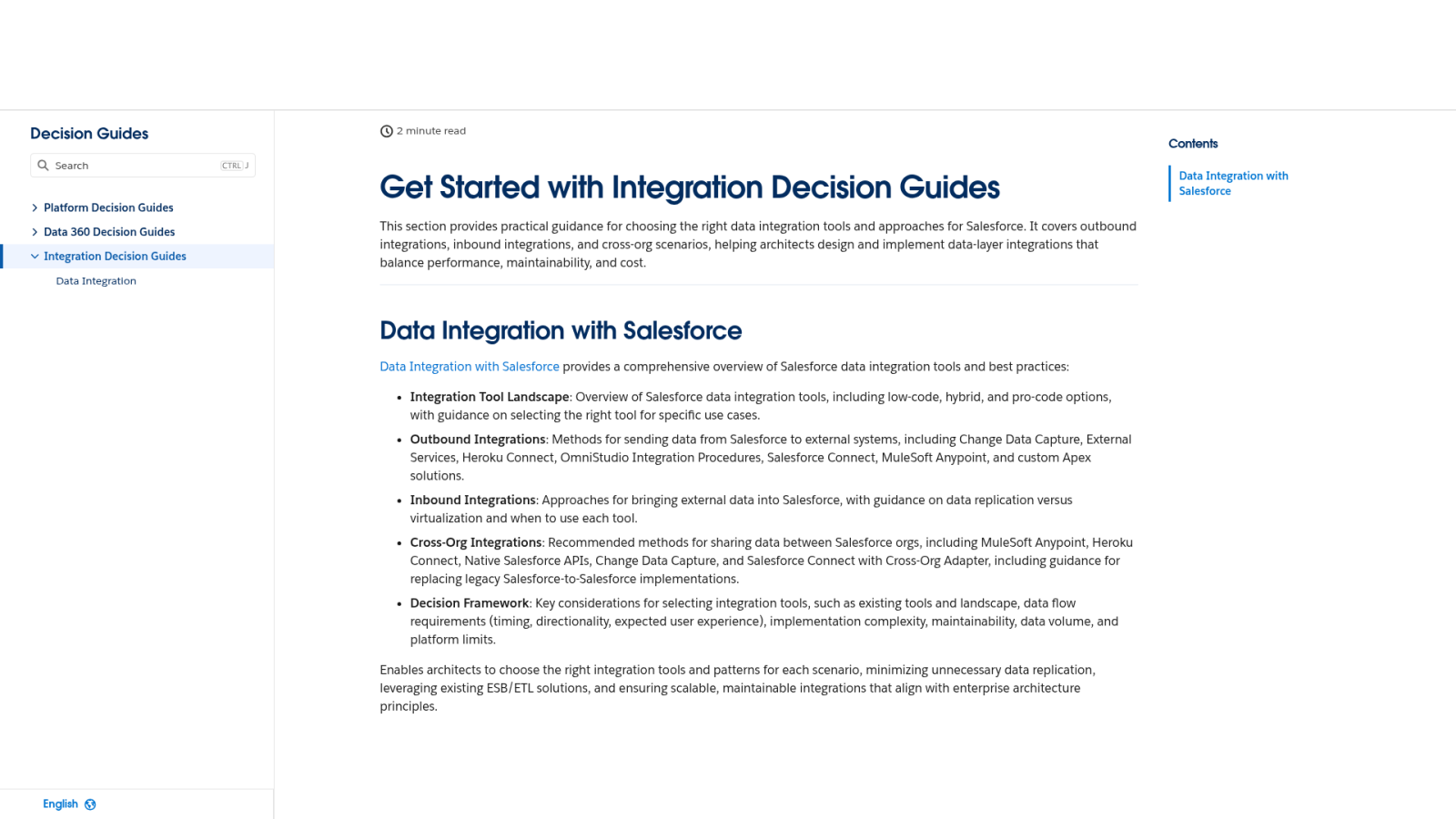
Direct API integration
A direct connection suits a contained landscape: one ERP, a small set of well-defined data flows and a development team that can own the connection long-term. The integration is straightforward to build but tightly coupled. Every ERP upgrade, API version change or new flow requires a code change, which makes maintainability the critical long-term risk.
Native or pre-built connector
Pre-built connectors can accelerate delivery for supported ERPs because the interface mapping and authentication are partially handled. The caution is that connector scope is specific: the objects, operations and ERP editions that the connector supports must be verified against current documentation before any design commitment. Do not assume that a connector label covers a complete bidirectional process integration.
Middleware or integration platform
Middleware becomes more valuable as the number of connected systems grows, or when transformation logic, routing rules and error handling need to be centralised in one place. MuleSoft is one middleware option, not a universal requirement. The decision depends on your system landscape, internal support capacity and the need for a canonical data model across multiple ERPs or third-party platforms.
Hybrid architecture for multiple data flows
Many production integrations combine methods. High-volume batch flows for product catalogues and invoice records use Bulk API 2.0, while close-won opportunity events trigger a near-real-time call to create an ERP order. A hybrid design is often the most accurate match to real business requirements, but it requires clear ownership of each layer and a monitoring strategy that can surface failures across all of them.
Should Salesforce ERP integration be real-time, batch, or event-driven?
Timing should follow business need, not preference. A practical test: what business decision becomes incorrect if this data is delayed by five minutes, one hour or one day? If the answer is none, batch is likely sufficient. If the answer is order fulfilment is blocked or sales cannot commit a delivery date, event-driven processing is justified. Salesforce managed services can help maintain and optimise these processes as business requirements evolve.
| Method | Freshness | Volume fit | Complexity | Suitable examples | Risk |
|---|---|---|---|---|---|
| Scheduled batch | Minutes to hours old | High volume, finalised data | Low | Product sync, invoice records, payment status | Stale data in time-sensitive workflows |
| Event-driven / near-real-time | Seconds to low minutes | Low to medium volume | Medium to high | Order creation on Opportunity close, stock alerts | API load, delivery guarantees, duplicate events |
| Hybrid | Mixed | Mixed | Medium | Product batch + order event + invoice batch | Operational complexity, cross-layer monitoring |
Salesforce's official API guidance covers Bulk API 2.0, platform events and Change Data Capture as distinct tools with different data timing characteristics.
When batch processing fits
Use batch for predictable, high-volume or already-finalised data where a delay of hours is acceptable. Product catalogues, price book updates, closed invoice records and payment confirmations are common candidates. Salesforce's Bulk API 2.0 is designed for large data volumes and reduces the per-record API limit impact compared with standard synchronous calls.
When event-driven processing fits
Event-driven integration is appropriate when a specific workflow in one system should immediately trigger a process in the other and where delay has a defined business consequence. Platform Events and Change Data Capture in Salesforce allow downstream systems, including ERPs and middleware layers, to subscribe to specific record changes without polling.
When a hybrid model fits
Most enterprise landscapes need both. Separate the flows: batch handles volume and finality, events handle process triggers and time-sensitive status updates. Define the latency requirement and failure consequence for each flow independently, then select the method that matches.
Which Salesforce APIs and ERP connectors should you evaluate?
API selection depends on payload size, data volume, sync direction and the interface supported by the ERP. Use the table below as a starting point, then verify the exact API version, authentication method, rate limits and supported objects against current official documentation before finalising any design.
| API or integration method | Best use case | Key caution |
|---|---|---|
| REST API | Standard CRUD operations, moderate volume, JSON payloads | Stateless; governor limits apply per transaction |
| SOAP API | Finance and ERP integrations requiring structured XML, legacy system compatibility | Verbose; check ERP WSDL version compatibility |
| Bulk API 2.0 | High-volume data loads and exports (product, invoice, order history) | Asynchronous; not suited for real-time triggers |
| Pub/Sub API / Change Data Capture | Streaming record changes to subscribed ERP or middleware listeners | Requires event bus management and duplicate handling |
| Platform Events | Fire-and-forget process triggers (e.g. opportunity closed to ERP order) | Delivery guarantees vary; design for idempotency |
| Middleware connector (e.g. MuleSoft) | Multi-system routing, transformation, centralised error handling | Connector scope must be verified per ERP product and version |
| Custom API endpoint | Proprietary ERP interface or legacy system with no standard connector | High build and maintenance cost; requires full ownership |
Salesforce integration with NetSuite, SAP, Oracle, and Microsoft Dynamics 365 considerations
ERP is not a single product. SAP, Oracle, NetSuite, and Microsoft Dynamics 365 each cover multiple editions, deployment models, and interface options. The product version, deployment type, and available API or adapter must be confirmed before any architecture is selected.
Salesforce NetSuite integration
Salesforce NetSuite integration uses agreed interfaces, data mappings and authentication methods to move selected CRM, order, finance or operational data between the two platforms. Salesforce documents a NetSuite connection for Data Pipelines that uses token-based authentication and is designed for cloud-based NetSuite instances. This connection scope should not be treated as a complete bidirectional CRM and ERP process integration. For full order-to-cash or account synchronisation use cases, the exact connector capabilities, supported objects, and authentication model must be verified against current Salesforce and Oracle NetSuite documentation.
Salesforce SAP integration
Salesforce SAP integration uses supported APIs, adapters or middleware to connect selected CRM and SAP processes. The exact SAP product, release version, deployment model (on-premises, cloud or hybrid) and available interface must be confirmed before any design begins. SAP Integration Suite, SAP Business Technology Platform, and standard BAPI or RFC interfaces represent different technical paths, each with different connector support and maintenance models. Verify the exact product against current SAP and Salesforce documentation.
Oracle and Microsoft Dynamics 365 integration
Oracle ERP Cloud and Microsoft Dynamics 365 both expose REST and OData APIs that can be consumed by Salesforce directly or via middleware. For both platforms, apply the same product-version checkpoint: confirm the exact edition, deployment model, available API or adapter, supported objects, and authentication method. Do not claim an official integration without a confirmed official vendor source. If your landscape includes either ERP, a structured discovery session is the most reliable way to confirm the correct interface before committing to a design.
Salesforce ERP integration planning checklist
This checklist is an editorial planning framework based on official Salesforce architecture documentation. It is not a vendor-certified implementation standard. Every item should have a named owner before build begins.
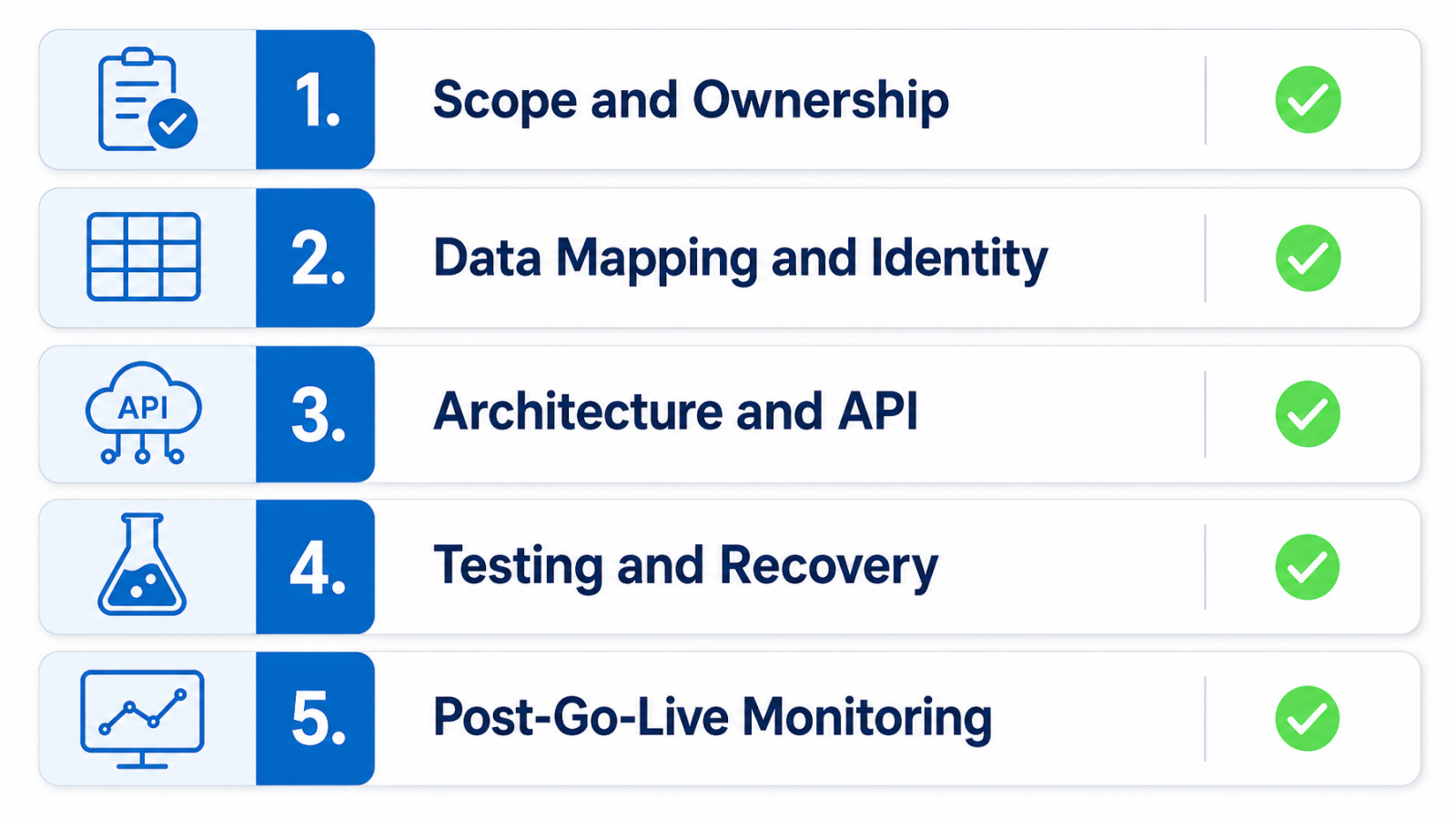
Scope and ownership
- List every system that will send or receive data in this integration.
- Assign a named business owner for each data object (Account, Product, Order, Invoice, Payment, Inventory).
- Confirm the system of record for each object and document it in a shared data dictionary.
- Define the direction of each data flow: one-way or bidirectional, with conflict resolution rules for bidirectional flows.
- Apply the stop/go test: if you cannot name the owner, identifier, update rule and recovery action for a critical data object, pause the build.
Data mapping and identity
- Map every field that will move between systems, including data type, format, mandatory status, and allowed values.
- Assign an external ID strategy so each record can be uniquely identified and matched across both systems.
- Document duplicate handling rules: what happens when a record already exists in the target system?
- Identify sensitive fields (personal data, financial data) and confirm the access controls on both sides.
Architecture and API constraints
- Select the integration method (direct API, connector, middleware, hybrid) using the criteria in this guide.
- Confirm the API version, authentication method (OAuth 2.0, token-based), and rate or governor limits for each interface.
- Document the data volume per flow and confirm the API method (REST, SOAP, Bulk API 2.0, platform event) is appropriate.
- Define middleware requirements: transformation logic, routing rules, canonical data model, and error queue ownership.
Testing, reconciliation and recovery
- Write positive test cases for each data flow and confirm the expected record state in both systems.
- Write negative test cases: missing mappings, invalid field values, duplicate events, authentication failures, timeouts, and partial loads.
- Define the reconciliation method: how will you confirm that both systems hold matching record counts and values after each sync?
- Define retry rules: how many attempts, what interval, and what happens after maximum retries are exhausted?
- Confirm that failed records are visible in an exception queue with the failure reason, not silently dropped.
Post-go-live monitoring and ownership
- Name the team or individual responsible for monitoring integration health after go-live.
- Define the alerting threshold: volume drop, error rate spike, or latency breach that triggers a review.
- Agree a change control process: who approves changes to mappings, API versions, or sync schedules?
- Set a reconciliation review cadence, for example, weekly totals checked against source records.
When should you use a Salesforce integration specialist?
Specialist support is most relevant when the integration involves multiple systems, complex data mappings, custom objects, legacy ERP interfaces, sensitive personal or financial data, high transaction volumes, or unclear data ownership that has not yet been resolved.
It is also relevant when the internal team has Salesforce administration skills but limited integration architecture experience, when the ERP in use has non-standard interfaces, or when post-go-live monitoring and support need a defined owner outside the core IT team.
ProvidusCRM provides Salesforce consulting and integration services, so its perspective is commercially relevant to organisations evaluating implementation support. ProvidusCRM's integration service covers API and middleware integration, custom connector development, data mapping, architecture planning, testing and ongoing support for UK organisations. Its Salesforce consulting services can help define ownership, process scope and a delivery roadmap before build begins.
If you are comparing options, bring the following to a discovery session: a system inventory, the data flows you need, the ownership decisions made so far, sample records, latency requirements, examples of past errors and your security constraints. A useful discovery session should produce a confirmed data ownership map, a recommended architecture pattern, an agreed API or connector selection, and a scoped delivery plan.
ProvidusCRM may not be the right fit if you need a deep single-ERP implementation specialist with that ERP vendor's direct certification, have not yet agreed internal data ownership, or are not ready for governance and discovery work.
When Salesforce ERP integration is not the right first step
Integration should not begin before core processes, ownership, and identifiers are sufficiently stable. Common reasons to pause:
- The business has not agreed which system owns critical objects such as Account or Order.
- Master data in either system is inconsistent, duplicated, or ungoverned.
- The ERP is mid-implementation or about to change release version.
- There is no named owner for the exception queue or post-go-live monitoring.
- The process the integration is supposed to support has not been fully defined.
In these cases, a data-quality assessment, an architecture review, or a Salesforce consulting services engagement is a better first step than starting a build.
Next steps for planning a Salesforce ERP integration
A practical decision framework for organisations starting or restarting an integration project:
- Name the systems and data objects involved in every proposed data flow.
- Assign ownership for each object, document the system of record, and confirm it with the relevant business owner.
- Define the freshness requirement and the business consequence of delay for each flow.
- Select the architecture method (direct API, connector, middleware, or hybrid) per flow, using the criteria in this guide.
- Define mappings, identifiers, authentication, and failure recovery before any build work begins.
- Agree on testing, reconciliation, and post-go-live ownership as part of the delivery plan, not as an afterthought.
If any of these steps surface unresolved ownership questions, unstable processes or data quality issues, address those first. An integration built on an unstable foundation requires rework.
If you are ready to map your Salesforce and ERP landscape and want a structured approach to architecture, ownership and delivery, discuss your Salesforce and ERP requirements with the ProvidusCRM team.
Salesforce ERP integration FAQs
What is Salesforce ERP integration?
Salesforce ERP integration connects Salesforce with a finance or operations ERP so that selected customer, product, order, financial, or operational data can move between systems in a controlled way. The scope depends on ownership, direction, and business need.
Which system should be the source of truth between Salesforce and an ERP?
The system of record should be assigned per data object, not per platform. For example, the ERP typically owns invoice and payment data, while Salesforce typically owns opportunity and activity data. Bidirectional flows need explicit conflict resolution rules.
Should Salesforce ERP integration be real time or batch?
Use event-driven or near-real-time processing only where a defined business decision depends on current data. Use batch processing for high-volume, predictable or already-finalised data flows. Many integrations use a hybrid of both.
Do you need middleware for Salesforce and ERP integration?
Middleware is not always required, but it becomes more valuable when multiple systems need transformation, routing, monitoring, and shared error handling. The decision depends on landscape complexity and your internal support capacity.
What is the difference between a Salesforce ERP connector and custom API integration?
A connector provides pre-built support for defined interfaces and can accelerate delivery for supported use cases. Custom API integration offers more control but requires more design, build, and maintenance. Both require verification of supported objects and operations.
How does Salesforce NetSuite integration work?
Salesforce NetSuite integration uses agreed interfaces, mappings, and authentication methods to move selected data between platforms. The exact connector or connection scope must be checked against current Salesforce and NetSuite documentation before design begins.
How does Salesforce SAP integration work?
Salesforce SAP integration uses supported APIs, adapters, or middleware to connect selected CRM and SAP processes. The exact SAP product, deployment model, and available interface must be confirmed before any architecture decisions are made.
How should integration errors be handled?
Integration errors should be visible in an exception process with failure reasons, named ownership, retry or correction rules, and reconciliation checks. Do not assume automatic recovery unless the implementation explicitly supports it with a confirmed mechanism.
What should be in a Salesforce ERP integration checklist?
The checklist should cover data ownership, scope, field mappings, external identifiers, architecture selection, authentication, test cases for both positive and negative scenarios, reconciliation, monitoring and post-go-live ownership. See the staged checklist in this guide.
