

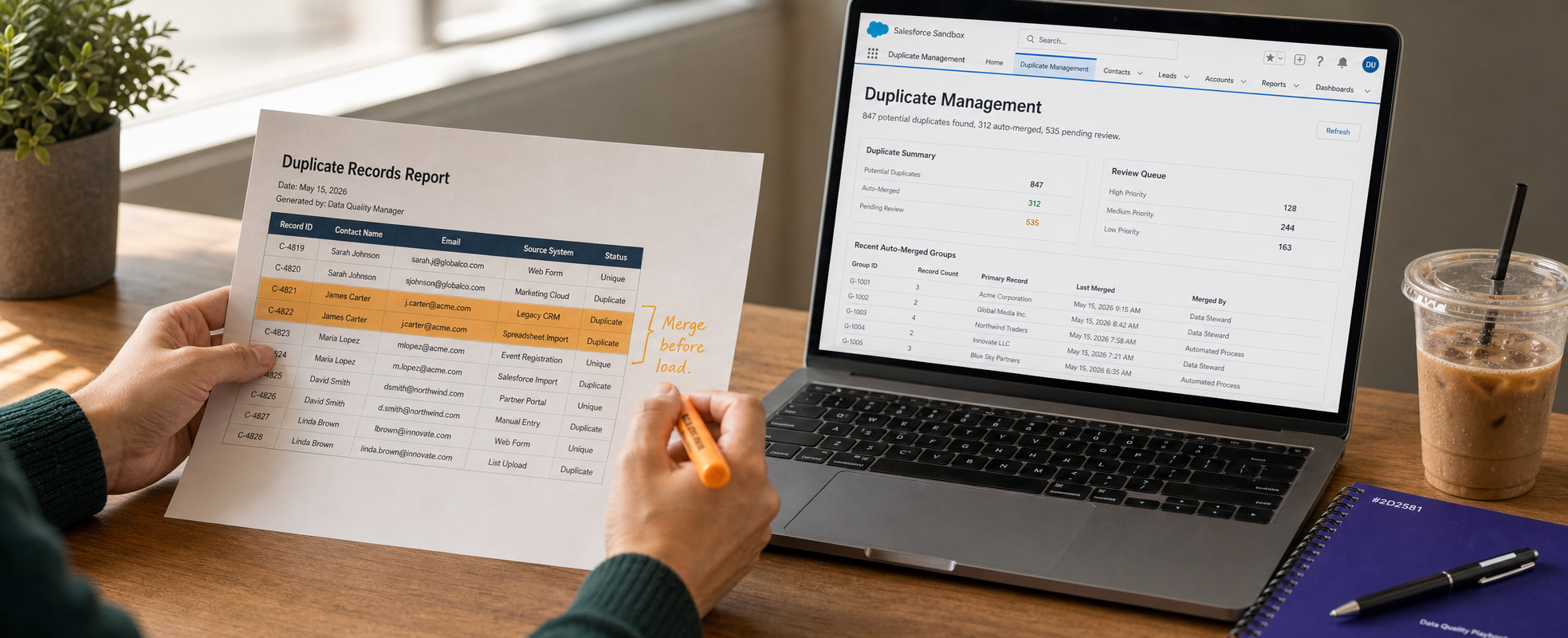
Every Salesforce project reaches a certain point where legacy data has to move into the new org, and this is usually the point where the problems start. Even experienced IT teams underestimate the Salesforce data migration challenges waiting behind a routine export file. Understanding these obstacles early is mostly the difference between a smooth go-live and months of costly clean-up afterwards.
A properly planned Salesforce data migration should feel structured and never chaotic. Yet research consistently shows migration projects miss deadlines, overrun budgets, or corrupt data along the way. The European Commission's CORDIS research programme found that 40% of all migrations fail or even exceed their budget and schedule, a figure that holds across industries. This guide breaks down the five most common Salesforce migration challenges organisations face.
Why Do These Salesforce Migration Challenges Deserve Serious Attention?
Salesforce itself is designed and built to handle enormous data volumes reliably, so failures rarely come from the platform. They come from how data is cleansed, sequenced, and validated before it ever reaches the org. Bloor Research, in a study reported by Tech Monitor, put the overall failure rate for data migration projects at 38%, driven mainly by weak planning and poor ownership.
Separately, if we talk about other data, Gartner's research on data quality found that poor data quality costs the average organisation $12.9 million every year. For a CRM migration, that cost shows up as broken dashboards, duplicate accounts, and reps who stop trusting the system within weeks. These figures tell us why a documented Salesforce data migration process matters more than the migration tool you choose. Tooling moves records quickly, but only a process guarantees what moves is accurate and usable. Let’s understand the problem and the solution one by one.
1. Duplicate Records and Poor Data Quality
Dirty source data is by far the main cause behind most Salesforce data migration challenges. Manual entry built up over years, merged systems, and the inconsistent picklists tend to leave organisations with mismatched contact details, duplicate accounts, and mandatory fields left incomplete. Migrating this data without cleaning only carries the mess into a new environment, and also at a far higher cost to fix.
How to overcome it: Cleanse before you load, not after. You should standardise picklist values, run deduplication tools against your source system, and also mask sensitive fields before anything touches a sandbox. Cleaning data in production later is significantly more disruptive, and yes, far more expensive, than cleaning it beforehand.
2. Broken Relationships and Referential Integrity Loss
Executing bulk loads without adhering to strict object dependency hierarchies creates orphaned child records and broken lookup fields. For example, inserting Contacts, Opportunities, or Cases before their parent Accounts are fully loaded forces unnecessary post-load reconciliation.
How to overcome it:
- Enforce a strict multi-stage loading sequence: Master System Data -> Accounts -> Contacts -> Products/Pricebooks -> Opportunities -> Cases/Tasks.
- Utilize Salesforce External IDs to map parent-child relationships dynamically during bulk upsert calls, bypassing manual ID re-mapping steps.
- Run reconciliation queries after each object load phase to verify parent-child record counts before initiating downstream loads.
3. Complex Field Mapping and Legacy Schema Mismatches
Loading child records before their parent records is one of the common Salesforce data migration errors that breaks referential integrity almost immediately. The result is missing lookups, orphaned records, and reports that quietly stop reconciling. This mistake is rarely caught until well after go-live, when the damage is already spread across multiple objects.
How to overcome it:
- Build a comprehensive field-mapping matrix defining source fields, target Salesforce API names, data types, transformation rules, and default values.
- Create legacy record identifier custom fields set as External ID and Unique to serve as reference points during relational upserts.
- Audit required fields and validation rules in Salesforce prior to execution to prevent API insertion failures.
4. Automation and Workflow Conflicts During Load
Active Salesforce Flows, Apex triggers, Process Builders, and validation rules are designed for transactional user entries, not high-volume API data loads. Leaving system automation active during migration leads to API limit exhaustion, severe row-locking errors, unintended email notifications, and automated record creation cascades.
How to overcome it:
- Implement custom metadata or custom settings (e.g., Automation Bypass Flags) to selectively disable automation for the migration user context.
- Deactivate validation rules, duplicate rules, and non-critical Apex triggers during mass data ingestion.
- Re-enable automations in a controlled sequence post-load and execute validation test runs before releasing the org to end-users.
5. Lack of Rollback Planning and Downtime Risk
Treating rollback planning as optional assumes an execution will succeed without fault. When a high-volume load fails midway due to a governor limit breach, system timeout, or mapping logic error, the absence of a recovery protocol transforms an isolated data defect into extended system downtime, operational disruption, and lost stakeholder trust.
How to overcome it:
- Take full-copy sandbox backups and export time-stamped CSV files containing source legacy IDs, assigned External IDs, and native Salesforce record IDs prior to every load stage.
- Establish quantitative roll-back criteria prior to execution.
- Maintain pre-scripted hardDelete job files via Data Loader or Bulk API 2.0 using generated Salesforce Record IDs to rapidly roll back isolated, corrupted object sets without touching existing production data.
- Run at least one full dry-run rollback simulation in a Sandbox environment to measure actual Recovery Time Objectives (RTO) before executing the final cutover.
A Practical Salesforce Data Migration Checklist
You can use this Salesforce data migration checklist as a pre-flight review before any phase goes live, regardless of project size.
- Scope and ownership: Objectives are documented, and a data owner is assigned for each specific object group.
- Mapping: Every source field is mapped to its Salesforce equivalent, with mandatory fields flagged.
- Cleansing: Records are standardised, deduplicated, and PII is masked before staging.
- Pilot testing: A sandbox run has validated relationships, record counts, and automation behaviour.
- Sequencing: Parent objects load before dependent child objects, in gated phases.
- Rollback: Backups exist, rollback triggers are documented, and recovery has been rehearsed.
- Hypercare: Check-ins are scheduled for day 7, day 14, and day 30 after cutover.
Working through this checklist before touching your first record is one of the simplest and most implementable Salesforce data migration best practices available, and it costs nothing but time.
How to Migrate Data to Salesforce Without Losing Trust in the CRM?
Knowing how to migrate data to Salesforce correctly comes down to sequencing and validation, not the size of your budget. Smaller migrations under roughly 50,000 records with simple mappings can mostly be handled with Salesforce's native import tools. Larger, multi-source migrations and with complex transformation logic typically need a dedicated ETL layer and a team that has managed this complexity before.
This is the point where a structured Salesforce CRM data migration partner earns its value, not by running the load faster, but by catching mapping gaps and also by integrity issues before they reach production. The right partner treats every one of the Salesforce data migration challenges above as a solved problem, not only as a fresh risk to your timeline.
Talk to ProvidusCRM About Your Migration
If your organisation is weighing up for Salesforce data migration solutions, for a CRM consolidation, a legacy system retirement, or even a move to Salesforce ahead of an Agentforce rollout, the data foundation matters most. ProvidusCRM's certified Salesforce consultants have delivered zero-downtime migrations for UK organisations across non-profits, logistics and financial services sectors.
Explore ProvidusCRM's Salesforce Migration Services to talk through your timeline, scope, and risk profile with a certified team before you move a single record.
Conclusion
The Salesforce data migration challenges covered here- mapping gaps, dirty data, broken relationships, missing rollback plan, and automation conflicts are all avoidable with the right discipline. None of them require a bigger budget to solve, but they require sequencing, validation, and ownership applied consistently from day one.
Organisations that treat data quality as a project deliverable, not only as a clean-up task for after go-live, are the ones that protect their timeline and their team's trust in the CRM. Get the foundation right, and the rest of the migration becomes far more predictable.
Frequently Asked Questions
1. What are the most common Salesforce data migration challenges?
Poor data quality, incorrect field mapping, automation left switched on during load, broken parent-child relationships, and missing rollback plans are the five most frequent issues.
2. How long does a typical Salesforce data migration take?
Small migrations with simple mappings can take two to four weeks. Mid-sized projects typically run six to twelve weeks, while an enterprise migration, it may take three to six months.
3. Can Salesforce data migration be done without downtime?
In most cases, yes, using a phased approach with gated validation and a short, coordinated cutover window rather than a single big-bang load.
4. Do I need a rollback plan for a Salesforce migration?
Yes. A rollback plan that has never been rehearsed is not a reliable plan, regardless of how carefully the migration was mapped.
5. Should automation be switched off during migration?
Non-essential flows, validation rules, and triggers should be temporarily disabled during bulk loads, then re-enabled in a controlled sequence once data is validated.
