

If a nonprofit wants volunteers, programme participants, donors, grant applicants, or partners to interact online, a standard CRM login is hardly the right experience, they mainly need a well-structured and controlled digital front door for every audience.
This is the point where Salesforce Community Cloud gets in. Salesforce has renamed Community Cloud as Experience Cloud, but the objective remains the same, to secure digital experiences connected to processes and Salesforce data and to create secure and customised digital experiences that reflect a nonprofit’s brand.
Moreover, digital engagement is no longer now limited to email or website. Charity Digital has reported that 81% of charities use digital tools to serve communities.
What Is Salesforce Community Cloud?
Salesforce Community Cloud is the old name of Experience Cloud, a capability of Salesforce is related to building portals, external-facing websites, and self-service experiences that is connected to a Salesforce org. Moreover, instead of giving every stakeholder access to the CRM, an organisation exposes only the actions, records, and content that each audience requires.
A community Salesforce implementation can sit between the internal CRM and the public website. A volunteer may manage participants, while a programme participant can view enrolment or even case information even without accessing internal Salesforce screens.
Mainly, Experience Cloud is not simply related to a website builder or even a standalone database, but it uses Salesforce as the system of record while providing a tailored interface for external users.
How Does Experience Cloud Work for Nonprofits?
In technical terms, an Experience Cloud site primarily connects external identities to Salesforce permissions, records, automation, and objects. Administrators can also define access controls and determine which information users can view or update.
A nonprofit can create separate experiences for beneficiaries, volunteers, and grant applicants, allowing the same Salesforce environment to support different audiences while displaying tailored pages, actions, and records according to user permissions. With salesforce experience cloud consulting, organisations can design secure, audience-specific portals that align with their operational requirements.
This is where a community Salesforce architecture becomes most impactful. Organisations can connect external user journeys to the same programme, constituent, fundraising, and grant data used internally. Salesforce provides Experience Cloud capabilities for Nonprofit Cloud that support use cases involving beneficiaries, donors, and volunteers.
In What Way Can A Nonprofit Use Salesforce Community Cloud?
Salesforce Community Cloud can help nonprofits in multiple ways and also give ultimate results. Let’s discuss them one by one.
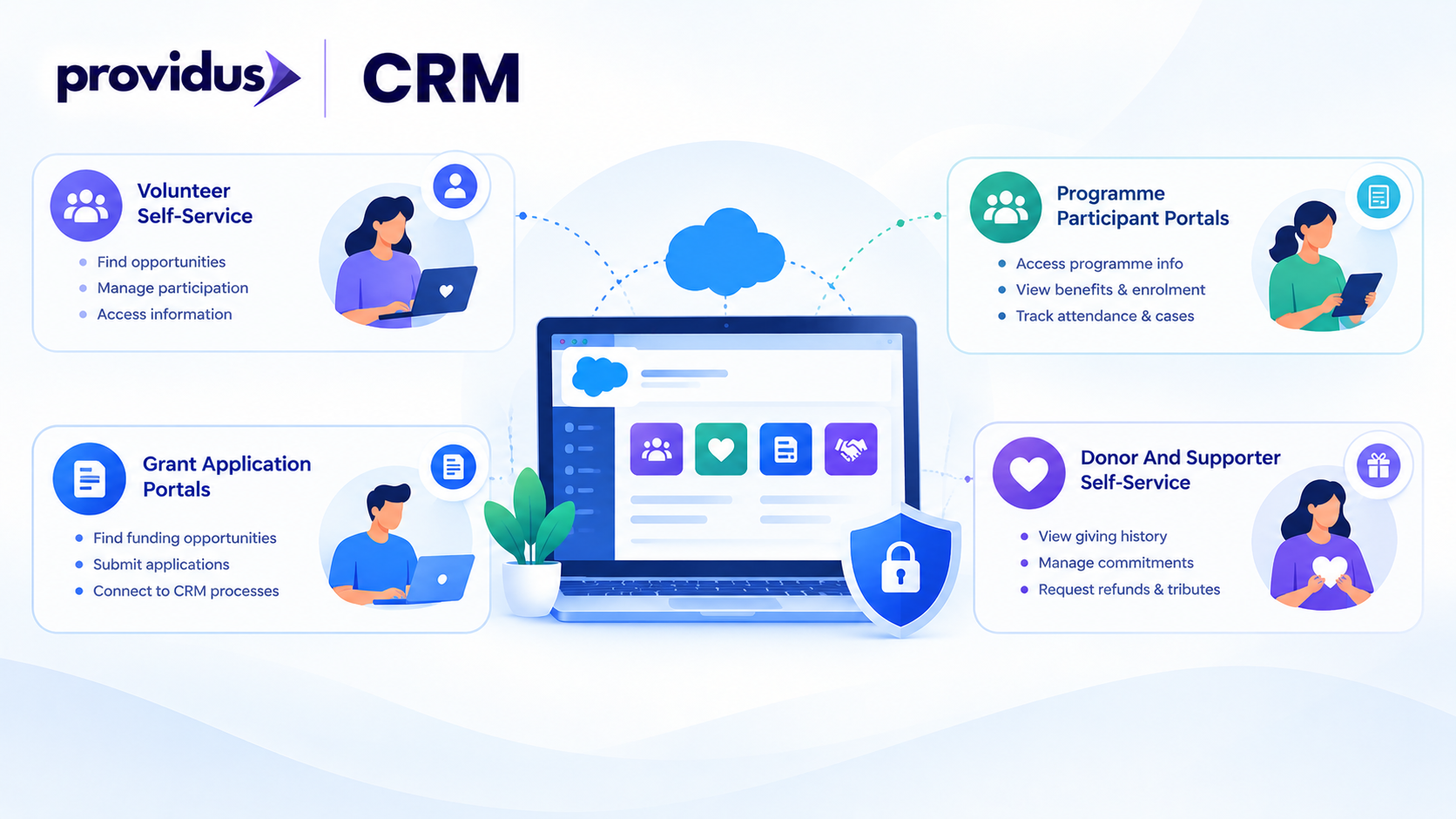
1. Volunteer Self-Service
A volunteer portal can allow people to discover opportunities, manage participation, sign up, and also access relevant information. Salesforce also explains a branded volunteer portal as a way to simplify onboarding and sign-up.
When a volunteer's actions are connected to CRM records, staff can easily maintain a clear engagement history rather than relying on forms, spreadsheets, and email threads.
2. Programme Participant Portals
Nonprofits delivering services can use Experience Cloud to give participants guarded access to information that is relevant to their programmes. Moreover, depending on configuration, this also includes benefits, enrolment, attendance, or even assigned case information.
For sensitive participant data, the key question is whether permissions, sharing, and access are designed correctly.
3. Grant Application Portals
Grantmaking is also a strong use case, Salesforce offers an Experience Cloud template that can allow applicants to view funding opportunities, manage application information, and also submit applications.
A portal can easily connect to Salesforce flows and grant records and also allow an online application to trigger controlled CRM processes rather than manual re-entry.
4. Donor And Supporter Self-Service
A donor experience can also give access to the relevant interactions and giving information. Salesforce explains a donor portal that can mainly give refunds, gift commitments, soft credits, tributes, and transactions.
This eventually reduces routine enquiries while providing supporters a consistent experience. The information exposed should always be determined by the access requirements and data model of an organisation.
What Are the Key Technical Components?
An impactful Experience Cloud implementation has multiple layers, and the visible portal is only one part of the architecture. A community Salesforce design must connect the interface to the accurate controls and data. There are pointers below that will help you understand the process better.
- Identity and authentication: Decide whether users register directly, use an existing identity provider, or even access the site with the help of another authentication method. Login and registration design should always match the sensitivity of the information.
- Permissions and sharing: External users require carefully scoped access. Sharing rules, permission sets, profiles, or even permission set-based controls and record visibility should work together so users may see the records intended for them and nothing extra.
- Data model: The portal mainly depends on the Salesforce objects that are behind it. A nonprofit should always map each external journey to the relationships, correct records, and fields before building pages.
- Automation: Salesforce Flow and other automation can handle the actions that are triggered through the portal. For instance, a grant application can create or even update records and start an internal review process.
- Experience Builder: Experience Builder provides the interface layer for creating and customising the site. Branding, navigation, forms, components, and page layouts can be adapted to the nonprofit's audience.
What Are the Benefits for Nonprofits?
The important benefits of a community Salesforce approach are connected data, self-service, and scalability. Stakeholders can complete routine tasks while, on the other hand, information feeds CRM processes.
A branded portal could provide consistent journeys while also allowing functionality to vary by role. Charity Digital also found that 37% of charities were co-designing services with users, reinforcing the need to design portals related to the journeys of stakeholders.
What Should You Check Before Implementing It?
Implementation is an important part because it provides smoothness in the workflow, but let’s dive in and understand the checklist before implementation.
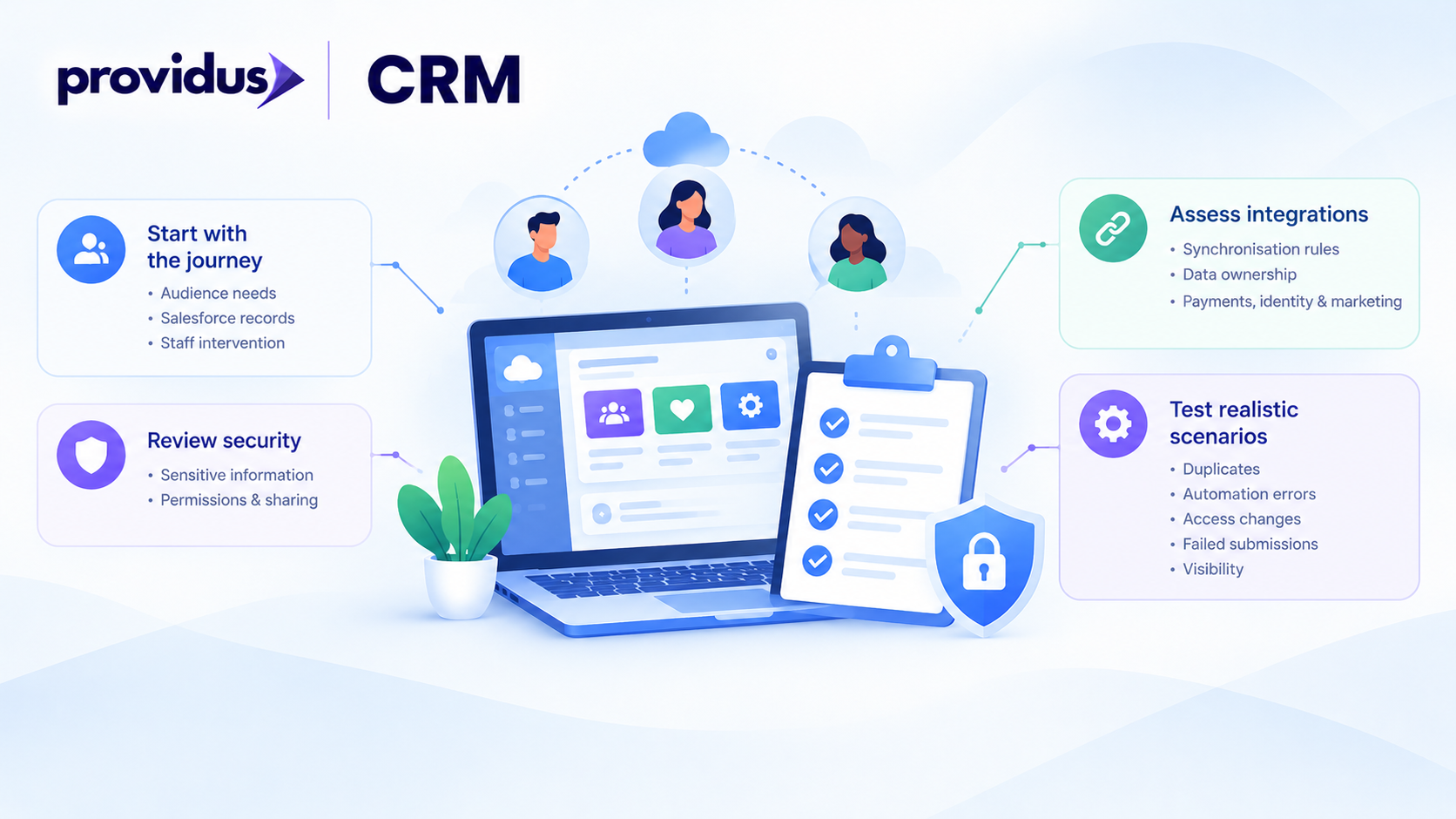
- Start with the journey, not the technology:
- Document what each audience needs to perform.
- Note which of the Salesforce records are involved.
- Mark where staff intervention remains a necessity.
- Review security before building the interface:
- External access can make sensitive constituent, grant, case, and donation information visible.
- Permissions and misconfigured sharing are the main risk.
- Assess integrations:
- Define the synchronisation rules.
- Decide which platform owns each piece of data.
- Covers payments, identity providers, and also the marketing platform where they are already involved.
- Test realistic scenarios:
- Duplicates
- Automation errors.
- Access Changes.
- Failed Submissions.
- Visibility, so each individual can see only what they should.
When Should a Nonprofit Consider Salesforce Experience Cloud?
Experience Cloud is most useful when a community Salesforce implementation replaces recurring external interactions that are managed manually or through disconnected tools, such as participant self-service, volunteer registration, supporter enquiries, and grant applications.
It might be unnecessary for a small organisation that needs only an informational website. However, the business case becomes stronger when external users need Salesforce-connected information through a controlled, secure experience.
With Salesforce Nonprofit Cloud consulting, organisations can evaluate this strategy against their overall CRM architecture, focusing on whether the portal reduces operational friction, streamlines processes, and improves the experience of stakeholders.
Build a Connected Nonprofit Experience with ProvidusCRM
Building an Experience Cloud portal needs more than just configuring pages, the Salesforce data model, security model, licensing, automation, integrations, and user journey must work collectively.
ProvidusCRM can help nonprofits assess these requirements and also design Salesforce solutions related to their processes, particularly where Experience Cloud connects with Nonprofit Cloud, programme management, fundraising, integrations, and volunteer workflows.
So, if your organisation is considering a volunteer, donor, participant, or even grant portal, speak with us about the architecture, implementation, and security model before the development process takes place.
Conclusion
Salesforce Community Cloud is now named Experience Cloud, but its objective still remains highly relevant to nonprofits, it provides tailored digital experiences connected to Salesforce and external stakeholders securely.
A commnity Salesforce model can turn that connection into an impactful and practical self-service channel. The well-structured implementation starts with the stakeholder journey and works into permission, data, integrations, and automation on the back end.
Frequently Asked Questions
1. Is Salesforce Community Cloud still available under that name?
No, Salesforce renamed Community Cloud as Experience Cloud, although many organisations still use the older term.
2. Can nonprofits create separate portals for different audiences?
Yes, Experience Cloud can support different digital experiences for audiences such as volunteers, donors, beneficiaries and grant applicants.
3. Does Experience Cloud replace a nonprofit website?
Not necessarily, but it can complement a public website by providing authenticated, Salesforce-connected self-service areas.
4. Can Salesforce Community Cloud handle sensitive nonprofit data?
It can support controlled access, but sensitive data requires carefully designed permissions, sharing, and authentication.
5. Does a community Salesforce implementation require separate licensing?
Yes, licensing and available capabilities depend on the Salesforce products and Experience Cloud licences.
