


Salesforce quietly stopped shipping new features to Classic years ago, but thousands of UK businesses still run their daily operations on an interface that no longer receives strong investment. If your service and sales teams still click a link labelled "switch to Salesforce Classic," you are not only missing an upgrade, but you are still running your CRM on borrowed time.
A well-planned Salesforce Classic to Lightning Migration is no longer an option, but it is the difference between a platform that grows and evolves with your business and one that quietly holds it back.
Let’s understand the guide for Salesforce Lightning migration and also how to plan it, which tools to use, and the mistakes that turn a routine upgrade into something very costly.
Why Can Salesforce Classic-to-Lightning Migration No Longer Wait?
Salesforce has not added new functionality to Classic in years, and its long-term roadmap has been built completely around Agentforce, Data Cloud, and Lightning. Teams that have delayed this step are not simply keeping an old interface running, but they are collecting organisational and technical debt that compounds every quarter.
In the US, the Government Accountability Office has found that federal agencies have devoted around 80% of their roughly $100 billion annual IT budget to maintaining their older legacy systems rather than building new capabilities.
Every month that is spent on Classic is a month of lost automation, slower onboarding for new hires who have never seen the old interface, and weaker mobile access,
Salesforce Classic to Lightning Feature Comparison
Before mapping out a project plan, you should understand the changes that have normally occurred. Let’s understand and break it down into pointers.
- Interface: Classic's static, list-based pages give way to Lightning's dynamic, component-based pages.
- Automation: Workflow Rules and Process Builder reached official End-of-Support on December 31, 2025. All legacy automations must be refactored into Salesforce Flow Builder, which now serves as the platform's sole supported automation engine.
- Mobile access: Classic's limited and non-responsive experience became a fully responsive interface with native app parity in Lightning.
- Reporting: Classic offers basic charts that are required for manual refreshing, while Lightning provides interactive and real-time dashboards.
- AI capabilities: Classic offers nothing comparable, but on the other hand, Lightning is built to work with Einstein, and it is also Agentforce-ready.
- Customisation: Visualforce-heavy development has shifted to the drag-and-drop Lightning App Builder.
- Security: Standard profiles in Classic have been updated with enhanced session and permission controls in Lightning.
This is not more than just a new look because some classic features, like certain custom Visualforce pages, old approval workflows, and older console layouts, cannot simply be carried over. They need to be rebuilt for Lightning. Most of the teams assume a Salesforce Classic-to-Lightning migration is as easy as flipping a switch, but this is not the truth.
How To Migrate From Salesforce Classic To Lightning?
The process of migration that eventually succeeds follows a broadly similar sequence, regardless of the size of the company.
- Run the Lightning Readiness Check: Built-in tools in Salesforce flag deprecated code, unsupported components, and browser compatibility issues before you commit to a date.
- Audit custom code and Visualforce pages: It also flags anything built specifically for Classic that will not render currently in Lightning.
- Rebuild page layouts in Lightning App Builder and Dynamic Forms: Avoid copying dense Classic layouts 1:1. Upgrade to Dynamic Forms and Dynamic Actions to conditionally render fields and buttons, accelerating page load speeds and streamlining user workflows.
- Migrate automation to Flow: Retire Process Builder processes and Workflow Rules in favour of a single and supported automation engine.
- Pilot with a small user group: You should choose a mixture of reluctant adopters and power users and gather feedback before a company-wide rollout.
- Train by role, not by department: Service, sales, and admin users interact with Lightning differently, so training should be given accordingly.
- Cut over in phases, not all at once: You should move by team or by region, so support resources are not overwhelmed on day one.
- Monitor adoption for the first 30 days: Track login rates, feature usage, and support ticket volume to catch resistance early.
Each of these steps that are mentioned above deserves its own sign-off owner and gate, in order to do an impactful and smooth migration.
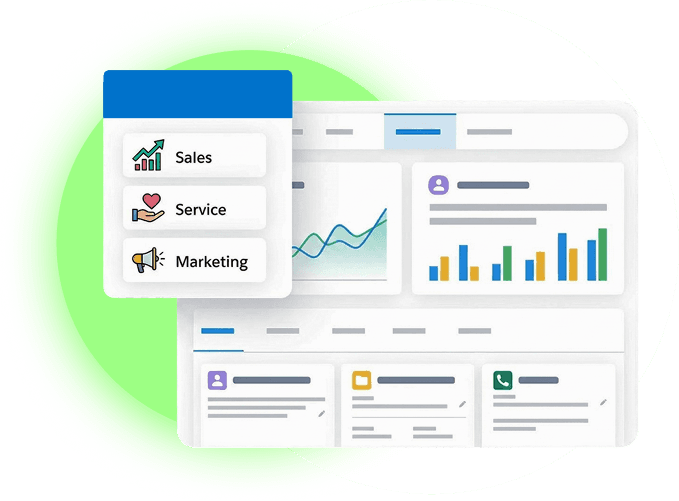
Salesforce Lightning Migration Checklist
Using this Salesforce Lightning Migration Checklist before any cutover date is confirmed, it will prevent the process from experiencing any hurdles.
- Planning: Objective and Scope should be documented and formally signed off.
- Technical audit: All custom code, Visualforce pages, and AppExchange apps must be reviewed for Lightning compatibility.
- Automation: Every Workflow rule and Process Builder flow should be mapped to its Flow Builder equivalent.
- Data and layout clean-up: Page layouts should be rebuilt, and unused fields should be removed.
- Testing: A pilot group should be run through core daily workflows end-to-end.
- Training: Role-based training materials must be prepared and scheduled too.
- Pre-go-live communication: The rollback plan, cutover date, and support contacts must be shared with all users.
- Post-launch monitoring: An adoption monitoring plan should be in place for at least the first 30 days.
Best Practices for Salesforce Classic to Lightning Migration
A bit of following the steps turns a painful transition into a smooth one. Never migrate everything at once, but always involve end users. The people who operate CRM every day will spot workflow gaps.
Secondly, keep a rollback option available for at least the first two weeks after the launch, and do not just copy your old classic layouts over as they are. Lighting works best and gives the best result when things are kept simple.
Finally, document every customisation decision as you proceed further. This will become your reference the next time Salesforce ships a platform change.
What Are the Challenges in Salesforce Lightning Migration?
Even well-planned projects also face some challenges, and in this context, the most common challenges include:
- Deprecated or unsupported Visualforce components that need rebuilding, not just moving.
- Custom OnClick JavaScript buttons, which are fully deprecated in Lightning due to modern browser security models. These must be refactored into Lightning Web Components (LWC), Quick Actions, or Auto-launched Flows.
- User resistance for the teams that are comfortable with the familiar layout of Classic.
- Underestimating training time for less technical users.
Research from Pegasystems, conducted with the research firm Savanta, has found that 68% of IT decision-makers say ageing legacy systems and interfaces are stopping their organisation from adopting more modern technology.
The Salesforce Lightning migration risks that matter the most are rarely technical failures, but they are actually stalled adoption, automation gaps discovered weeks after go-live, and incomplete training.
Timeline for Salesforce Lightning Migration
There is no single timeline for Salesforce Lightning migration that can suit every organisation, but rough benchmarks can definitely help you with planning. Small teams with simple customisation and also with fewer than 50 users can typically complete a migration process in four to six weeks.
Furthermore, mid-sized organisations with moderate automation and several AppExchange integrations should keep the timeframe for at least eight to twelve weeks. Enterprise environments with heavy Visual customisation, complex approval processes, and multiple business units mostly require three to six months to migrate properly. In simple terms, train every team and test thoroughly.
Are You Ready For The Transition?
If your organisation is still running daily operations on the old Salesforce Classic, Providus CRM’s certified consultants can help you out and also execute a low-disruption transition because the team has experience across UK financial services, nonprofit, and commerce sectors.
Transitioning an enterprise CRM requires disciplined scoping, technical refactoring, and structured enablement. ProvidusCRM’s certified UK-based salesforce consultants deliver end-to-end Classic to Lightning migrations, with initial implementation engagements typically ranging from £25,000 to £30,000+ based on Visualforce code refactoring, LWC development, and automation complexity. Explore our Salesforce migration services and contact ProvidusCRM today to review your technical readiness audit with our certified architects.
Conclusion
A well-executed Salesforce Classic to Lightning Migration is not limited to only chasing a newer interface for its own sake, but it is about giving your teams a platform that keeps pace with the automation, AI, and mobile expectations that Classic was never built to support.
The organisations that treat migration as a well-structured project with a tested rollback plan, clear ownership, and training built around the actual user roles get good outcomes and smooth running of systems.
