


Managing a nonprofit board actually involves much more than only scheduling meetings. Directors need access to committee updates, financial reports, governance policies, and important decisions, mostly while working across multiple locations.
Nonprofit board management software brings these activities into a more structured and organised digital environment. However, selecting a platform needs more than just checking whether it offers document storage or meeting agendas. The real value totally depends on usability, security, governance workflow, and fit with your existing systems. Let’s understand the important features, see why the right platform matters, and compare selected platforms.
What Is Nonprofit Board Management Software?
Nonprofit board management software is a digital platform that is designed to help organisations manage documents, board meetings, director communication, and governance records. Instead of storing information across shared folders or separate email threads, board members can easily access the relevant material through a central workspace.
The software mainly supports the complete meeting lifecycle that starts from preparing agendas and distributing board packs to tracking decisions and recording minutes; it may also provide voting tools, electronic signatures, committee workspaces, and audit trails. This element of centralisation can improve consistency and also make it easier for directors to review information before the meetings.
According to the Charity Excellence Framework, the governance performance across the UK charity sector started to decline in 2022 and is at its lowest point since 2018. This is one reason why boards are turning towards software instead of ad hoc processes.
What Key Features Should You Look For?
Selecting the right nonprofit board management software begins with understanding which features mainly support everyday board responsibilities.
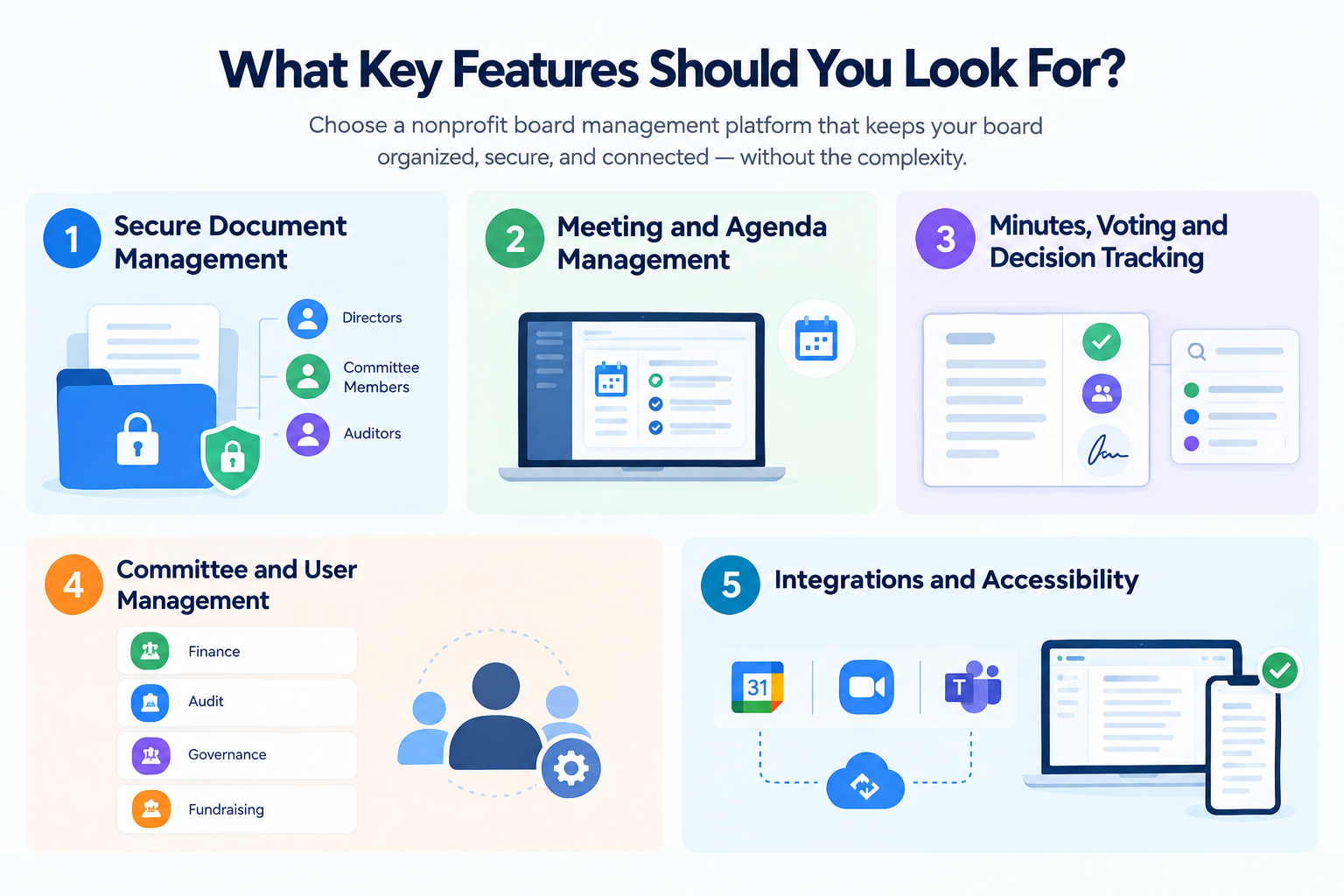
1. Secure Document Management
Granular Role-Based Access Control (RBAC) allowing administrators to set distinct permissions for board directors, committee members, and auditors—supported by end-to-end encryption and audit logging.
2. Meeting and Agenda Management
Tools that streamline agenda creation, compile digital board packs, and send automated notifications to reduce administrative overhead.
3. Minutes, Voting and Decision Tracking
Structured templates for minute-taking, in-app voting, digital signatures, and searchable decision registers to maintain a complete compliance record.
4. Committee and User Management
Dedicated workspaces for finance, audit, governance, and fundraising sub-committees, ensuring restricted files remain secure during trustee rotations.
5. Integrations and Accessibility
Native sync with calendar systems and video conferencing tools (Zoom, Microsoft Teams), alongside secure mobile access for offline document review.
Top Picks for Nonprofit Boards
The best platform totally depends on the size of your organisation, day-to-day requirements, and also governance. Let’s discuss some of the platforms.
Boardable – Nonprofit-Focused Board Management
Boardable is designed basically for community organisations and nonprofits; it combines board packets, agenda building, document management, voting, task tracking, and minutes. It is volunteer friendly usability suits organisations that seek a centralized governance workspace.
Diligent Boards – Governance and Board Oversight
Diligent Boards offers secure board communication, document access, approvals, and action tracking that suit organisations with more complex oversight processes.
OnBoard – Digital Board Collaboration
OnBoard centres on digital meeting materials, governance, and collaboration workflows. You should review its nonprofit pricing, access control, and Salesforce implementation requirements to determine whether it provides a comprehensive governance environment or basic administration.
BoardEffect – Board and Governance Management
BoardEffect offers document management, meeting preparation, committee workflows, and also reporting. A demonstration can explain whether it will fit your information governance needs and board’s working practices.
How to Choose the Right Nonprofit Board Management Software?
A feature-rich platform is automatically the right choice. Your meeting frequency, technical confidence, and governance requirements should be the guide for selection.
Step 1: Identify Your Existing Problems
Document the problem your team mainly faces- hard-to-find minutes, late board packs, scattered committee documents — so you avoid paying for the functionality you don’t need.
Step 2: Review Security and Permissions
Evaluate data protection architecture, access management controls, and offboarding workflows for departing trustees. UK non-profits must ensure vendor Data Processing Agreements (DPAs) comply with UK GDPR and the Data Protection Act 2018, particularly regarding server locations, data encryption standards, and retention schedules.
Step 3: Test the User Experience
Invite a small group of board members for a trial of the platform, for instance: finding an older document, completing a typical task, or opening a board pack in order to catch usability issues before committing to a contract.
Step 4: Evaluate Total Cost
Compare subscription costs alongside training, support, and onboarding, and also check whether the pricing changes with the additional storage. Review renewal conditions and contract terms carefully.
Can Salesforce Support Nonprofit Board Management?
Dedicated board platforms are actually built around governance workflows, while Salesforce is a wide CRM platform that supports fundraising, reporting, and constituent management. For the organisations that are already using Salesforce Nonprofit Cloud, the most relevant question is whether board-related processes should remain in the dedicated nonprofit board management software, sit within a customised Salesforce environment, and also connect through integrations.
ProvidusCRM helps the nonprofit to configure Salesforce Nonprofit Cloud around programme, donor, volunteer data, and grants. Its Salesforce Nonprofit Cloud consulting can eventually help with wider CRM integration and architecture requirements.
Streamline Your Nonprofit's Technology with ProvidusCRM
Choosing nonprofit board management software is only one part of building an impactful digital environment, but your organisation also needs clear access control, reliable data, and systems that support volunteers, staff, and leadership.
Building a secure digital ecosystem requires aligning board governance tools with your core CRM architecture. ProvidusCRM’s certified solution architects help non-profits connect Salesforce Nonprofit Cloud with specialized board management tools, ensuring seamless reporting and data security. Explore our Salesforce Nonprofit Consulting Services to align your technology strategy.
Conclusion
Nonprofit board management software can improve document access, organise meeting preparation, and support consistent governance records, but the right platform totally depends on your actual workflow of board instead of its feature list.
Compare security, usability, integrations, and cost before choosing, and plan your board platform alongside your CRM environment for a more consistent foundation.
Frequently Asked Questions
1. Can small nonprofits use board management software?
Yes, provided the features and pricing match their needs.
2. Does board management software replace a nonprofit CRM?
No, they typically serve different operational purposes.
3. How long does implementation take?
It depends on the platform, data migration needs, configuration, and user onboarding.
4. Can it support remote directors?
Many platforms offer web or mobile access, though remote features vary by provider.
5. What should nonprofits ask during a demonstration?
Ask about security, permissions, retention, integrations, accessibility, and total costs.
6. Does the software guarantee better governance?
No, it supports consistent processes, but governance quality still depends on trustee engagement and culture.
