

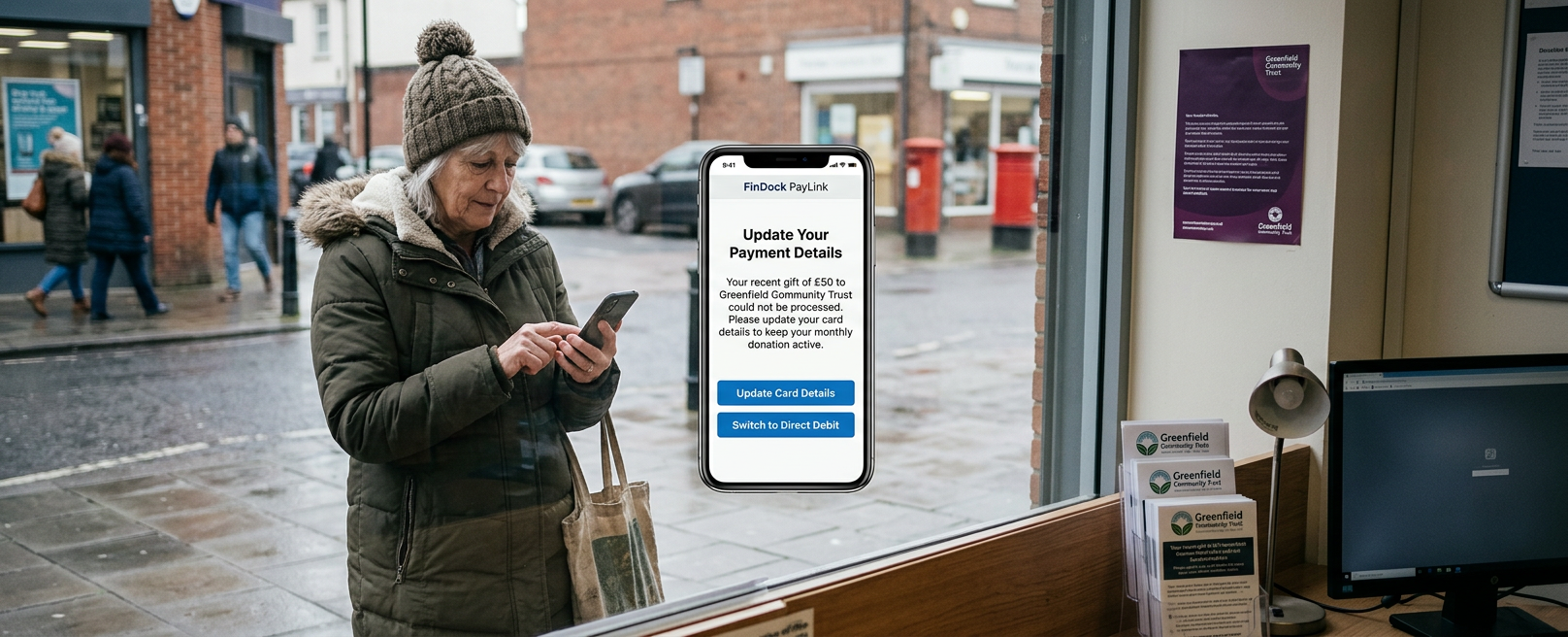
Every failed payment represents a donor who intended to give but encountered friction. For a charity operating on tight margins, payment failure quickly turns into lost revenue, often spotted by finance teams only during monthly bank reconciliation. A properly set up FinDock integration with Salesforce Nonprofit Cloud strengthens your Salesforce integration strategy by bringing payment processing, donation tracking, and bank reconciliation into one Salesforce system. Gifts get logged once and do not need to be checked twice.
This guide explains how the system works, how to configure it, and the technical errors that cut into your revenue.
Why Are Nonprofits Turning to FinDock Salesforce Integration?
Failed payments are a direct hit to your income. Data from the Charities Aid Foundation shows that recurring card payments fail around 13% of the time. Direct Debit collections fail at only 1%, mainly because payment cards expire while bank mandates stay active.
Data from NPT UK shows that 3.9 million people cancelled regular donations in 2024. However, 47% of people who gave that year used Direct Debit or standing orders. Bank transfers remain the most reliable method for long-term support.
There is also a tax cost. Gift Aid adds 25% to eligible UK donations at no cost to the donor. That extra money only comes through if your payment and CRM data match up cleanly.
A correct FinDock setup fixes all three problems: it keeps recurring payments active, recovers dropped card transactions automatically, and logs Gift Aid status when the donor gives.
What Is FinDock for Salesforce?
FinDock is a native payment app built inside Salesforce. It does not run as an external tool that syncs data back and forth. Every transaction, bank mandate, and payout record lives in your main Salesforce database alongside donor histories.
External payment tools rely on batch syncs, API calls, and extra login systems. These create points of failure where data gets delayed or mismatched. FinDock acts as the payment processor layer between Salesforce and gateways like GoCardless, Stripe, and merchant banks. A Salesforce nonprofit CRM consultant can help nonprofits configure this setup effectively, streamline payment data, and ensure donor and transaction records remain connected within Salesforce.
How Does FinDock Nonprofit Cloud Work?
FinDock connects to Nonprofit Cloud using a source connector that targets core objects: GiftTransaction, GiftCommitment, and GiftDesignation.When a donor pays, FinDock processes the money and links the record back to the right Gift Transaction and schedule.
If you still use the older Nonprofit Success Pack (NPSP), FinDock supports the NPSP Opportunity data structure too. You can move to Nonprofit Cloud in stages without changing your payment setup first.
Core Features of FinDock Payment Processing
FinDock donation management covers the full donor payment lifecycle, not only the initial transaction. Giving pages, PayLinks sent by SMS or email, and recurring gift schedules all feed the same underlying record.
FinDock handles dropped payments automatically. If a card charge fails, the system detects the error, tries the charge again on a set schedule, and sends the donor a secure PayLink to update their card details before the donation drops off.
Bank statements and gateway processor files reconcile inside the platform. Direct Debits, card payments, and manual bank transfers match against bank records without finance teams checking spreadsheets by hand every month.
Essential Payment Methods for Salesforce Nonprofit Integrations
A strong Salesforce nonprofit payment integration needs to support more than just card payments. ACH transfers, Direct Debit, SEPA mandates, and card payments each suit different donor segments, and offering only one method quietly, it excludes donors who would otherwise give regularly.
CAF data shows recurring card payments fail 13 times more often than Direct Debit. A charity that offers only card payments for regular giving sets itself up for higher donor loss from day one.
FinDock handles BACS Direct Debit and SEPA alongside card gateways. This setup lets teams direct regular donors to bank transfers without sending them to an external site or forcing extra form steps.
Salesforce Nonprofit Cloud Payments and the Gift Data Model
Understanding Salesforce Nonprofit Cloud Payments starts with the underlying data model. Nonprofit Cloud's Fundraising feature introduces Gift Commitment records for the purpose of recurring pledges, Gift Transaction records for the goal of individual payments, and Gift Designation records that route funds to the correct campaign or fund.
The FinDock connector keeps these objects in sync with bank settlement files. Reports built on GiftTransaction records show cleared funds rather than raw pledges.
Auditors and boards expect accurate data. A disconnected payment tool makes reporting a slow spreadsheet task instead of a live database view.
Step-by-Step FinDock Setup Guide
Here’s a practical step-by-step guide on setting up FinDock:
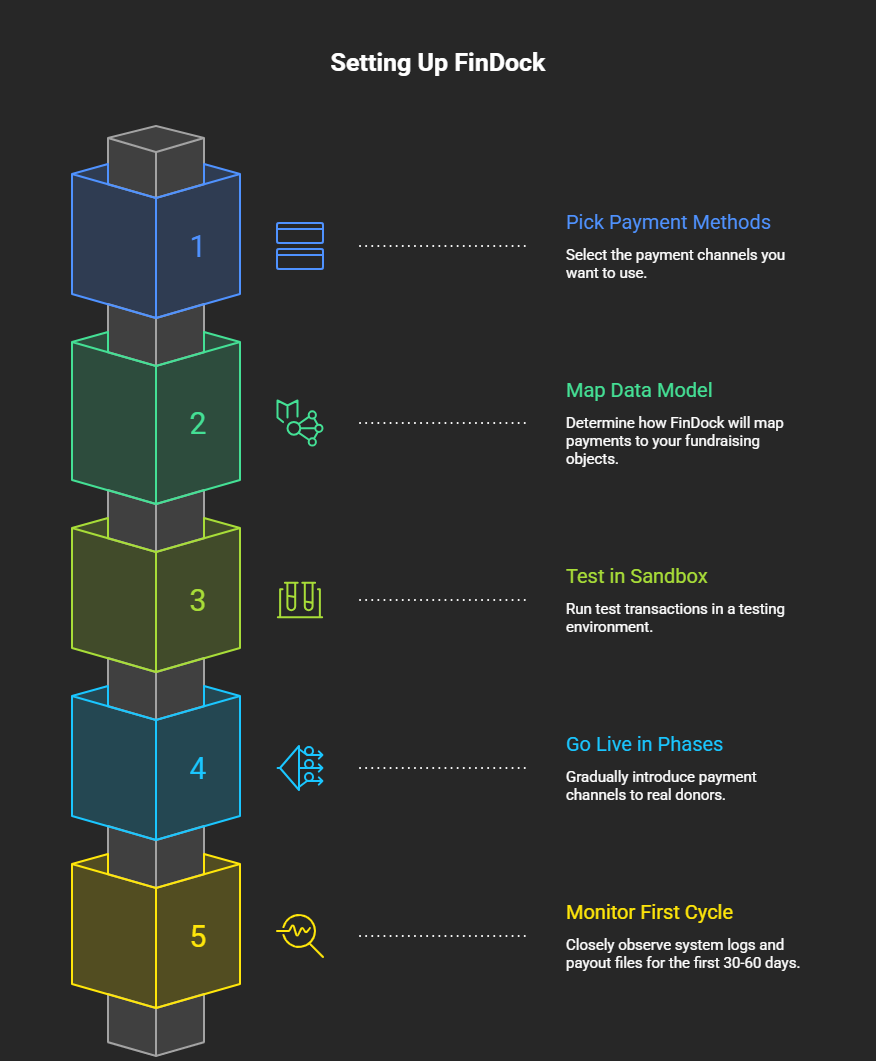
- Pick your payment methods first: Select your required channels (BACS, Direct Debit, SEPA, cards) before starting setup.
- Map the Gift Data Model: Confirm whether the organisation runs Nonprofit Cloud, NPSP, or a transition between the two. This decides which Fundraising objects FinDock will map payments against.
- Test in a sandbox: Run test transactions, including failed card runs, in a testing environment before going live.
- Go live in phases: Bring one payment channel live, validate it against real donor traffic, and then eventually add the next rather than switching every method simultaneously.
- Monitor the first giving cycle: Watch system logs, retry routines, and payout files closely for the first 30 to 60 days post-launch.
Four Setup Errors That Cut Payment Revenue
Teams evaluating FinDock for Nonprofits tend to repeat a small set of avoidable errors, most of which trace back to rushing configuration ahead of planning.
- Relying only on credit cards: Card-only setups mean higher payment failure rates for regular monthly gifts.
- Skipping sandbox tests: Do not test field mappings or failure rules in production. Use a full sandbox environment.
- Leaving Gift Aid capture as an afterthought: Bolting it on later means reconstructing donor tax status retroactively, which is slower and less accurate.
- Delaying reconciliation: Reconcile payments daily so bank statement mismatches can be fixed quickly while transactions are still fresh.
Avoiding these errors comes down to clear testing steps and data ownership rather than complex custom code.
Why Work With ProvidusCRM?
A FinDock Salesforce integration delivers the most value when it is configured around how a specific organisation actually collects and in fact reports on donations, not a generic template.
ProvidusCRM sets up FinDock based on how your team collects and reports money. Our certified consultants connect payment processors, map your gift objects, and build Gift Aid workflows matched to your finance rules.
If your organisation is planning a move to Nonprofit Cloud, adding FinDock to an existing NPSP org, or even troubleshooting failed payments on a live giving programme, consult ProvidusCRM's Salesforce Nonprofit Cloud implementation consultants to review your payment setup and data structure.
Conclusion
A FinDock Salesforce Nonprofit Cloud integration is a direct lever on how much of every pledged pound reaches your accounts. Recovered failed payments, correctly captured Gift Aid, and the reliable recurring giving all compound over a donor's lifetime.
The nonprofits that get the most from this integration process treat it, in the way they would treat any other core system. Getting the payment foundation right protects the donor relationships, and it is exactly the kind of groundwork that eventually turns a good giving programme into a dependable one.
Frequently Ansked Questions
1. What does a FinDock Salesforce Nonprofit Cloud Integration actually do?
It connects payment processing, Direct Debit, card, and reconciliation directly to Salesforce's Fundraising objects, so every donation is matched, recorded, and reported.
2. Does FinDock work with both NPSP and the new Nonprofit Cloud?
Yes. FinDock supports NPSP's Opportunity model and Nonprofit Cloud's Gift model through separate source connectors.
3. Why does Direct Debit matter so much for nonprofit payments?
Direct Debit collections fail at roughly 1%, against approximately 13% for recurring card payments.
4. How long does a FinDock setup take?
A standard setup takes between 6 and 12 weeks depending on how many payment gateways you use and whether you need to move data from NPSP.
5. Can FinDock recover donations after a card payment fails?
Yes. FinDock detects declined transactions, retries them automatically, and sends the donor a secure PayLink to update their payment details before the gift lapses entirely.
