

Every caseworker is aware of the feeling, a service user calls, a shared drive, someone’s notebook, and the answer to a simple question mostly buried across three spreadsheets. In this, choosing the right case management software for nonprofits mainly fixes this problem long before it begins, and it also changes how confidently your team can respond when it matters most.
Research from the British Association of Social Workers has found that practitioners spend nearly 80% of their working week on paperwork or computer work, leaving 20% for direct contact with the people they actually support. This imbalance is not primarily a staffing problem, and the solution hardly lies in hiring more caseworkers. It is basically a problem of systems, and the right software can genuinely help to reverse it by simply removing the unnecessary manual steps and data entry.
Let’s understand what strong case management software actually creates an impact for a nonprofit, the features that are worth prioritising during a selection process, and also the mistakes that silently disturb the process.
What Is Case Management Software for Nonprofits?
At its core, this platform is basically a system that is built to track individuals with the help of a properly structured support journey, from the first contact through case closure. Unlike a donor-focused CRM, it centres on the person who is receiving help, not the person funding it.
It mainly records interventions, intake details, needs assessment, referrals, and also outcomes in one place. Supervisors, caseworkers, and partner agencies can easily view the same updated record instead of chasing multiple separate files. This single shared source of truth is the element that separates a genuine case management system from a folder of documents or a repurposed spreadsheet.
Why is the Right System a Safeguarding Decision?
Poor systems do not just waste time, but they also create a real risk for the people of your organisation supports. The Data Protection Network, which is a UK data protection consultancy, has reported that the Information Commissioner's Office fined the Scottish charity Birthlink eighteen thousand pounds after it destroyed nearly 4,800 personal records of cases without a proper retention policies.
This case is mainly a reminder that case files are not administrative clutter that sits in the background of the daily operation, but they are the mainly documented history that a vulnerable person has of the support they have received, and after losing or even misleading that history can cause real and lasting harm to the person who has already trusted your organisation once.
Choosing case management software for nonprofits with a proper audit trails, retention control, and also access permissions is not a nice to have but it is the core part of safeguarding the people your organisation exists to serve.
What to Look For in Case Management Software for Nonprofits?
Below is the detailed discussion related to the elements that you should consider.
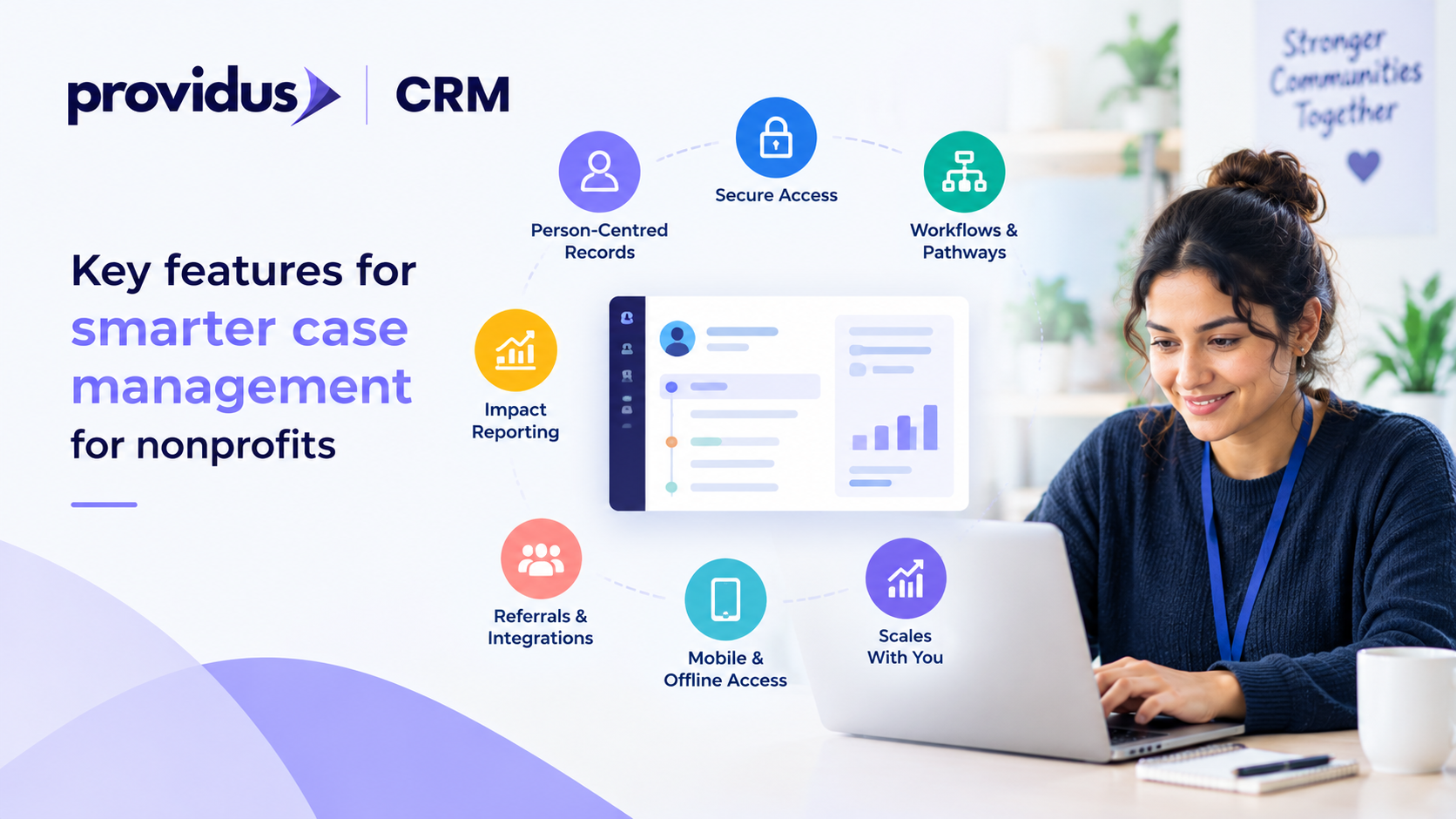
1. Person-Centred Case Records:
The system should build a single and chronological record around each person and around a donation, a transaction, or even a single funded programme. Every assessment, interaction and outcome should sit on one unified timeline that any of the authorised workers can pick up rapidly.
2. Secure, Role-Based Access
Not everyone in your organisation needs to see everything. You should look for granular permissions that let your case workers, supervisors and volunteers each see only what is relevant to their specific role, apart from a full audit of exactly who accessed when and what.
3. Configurable Workflows and Pathways
Every service, whether it is mental health support, housing advice, or debt conselling, basically follows a different pathway from intake to closure. Good software allows your team to build and to adjust these workflows themselves, even without waiting weeks for a developer for every small change.
4. Outcome and Impact Reporting
Funders now increasingly expect measurable evidence instead of case stories alone. The system should also allow you to track defined outcomes against each case and to generate clear reports rapidly, without hours of manual data that wrangles before a funding application deadline or a board meeting.
5. Referral and Multi-Agency Integration
Multiple cases involve more than one organisation that works alongside your team. A platform that supports secure referrals and is also integrated with partner systems avoids the delays, duplication and information gaps that can genuinely put service users at risk.
6. Mobile and Offline Access
Caseworkers are quickly out in the field, not sitting at a desk all day. So the best software is the one that works on a tablet or phone, including in the areas with poor signal, and also keeps records current as compared to waiting for someone to return to the office to type up notes.
7. Room to Grow With You
A tool that can easily fit ten cases and can also perform well when that number reaches a thousand. You should check that the platform scales sensibly in storage, users, and complexity so that switching systems again in the time of three years cannot be inevitable. Furthermore, ask vendors directly how existing customers have grown within the platform instead of relying on the marketing claims alone.
Common Mistakes When Choosing Case Management Software for Nonprofits
Selecting the right platform means avoiding the points that disrupt a thoughtful decision. Let’s understand what mistakes you should avoid.
- Picking a system based on the price list mostly backfires later. The cheapest option mostly lacks the reporting details and compliance depth that commissioners, funders, and regulators expect from an impactful system.
- Ignoring the frontline staff inputs. People using the system daily should shape the shortlist instead of senior management choosing alone.
- Underestimating the data migration can cause avoidable problems. Moving years of sensitive case history into a new system definitely needs careful field mapping, proper planning, and thorough testing well before go-live day.
- Moreover, skipping a genuine trial period is a costly shortcut.
How the Right Platform Supports Your Mission?
Configuring an enterprise-grade case management platform requires deep domain knowledge, security mapping, and user adoption planning. ProvidusCRM’s certified solution architects help UK non-profits configure scalable Salesforce Nonprofit Cloud environments, integrating referrals, care plans, and outcome tracking directly into a secure system of record. Explore our Salesforce Nonprofit Consulting Services to design your case management strategy
So, if you are evaluating case management software for nonprofits as the part of a larger CRM decision, get in touch and discuss related to the requirements of your organisation with a team that has completed multiple impactful projects.
Conclusion
The right system is not related to record keeping convenience, but it is the backbone of how safely and consistently your organisation supports the people who rely on it each and every day. Configurable workflows, secure access, and dependable reporting will outperform an impressive and long feature list.
If you get that foundation right, the software will become something that your complete team will trust instead of something just to tolerate and work around.
Frequently Asked Questions
1. Is case management software different from a donor CRM?
Yes, it centres on service users and also on their support journey rather than on donor relationships and giving history.
2. Can small charities afford case management software?
Many platforms, including Salesforce Nonprofit Cloud, offer discounted or entirely free licences for registered UK charities.
3. How long does implementation usually take?
Straightforward setups can take four to eight weeks, while complex, multi-service organisations with several referral pathways may need several months.
4. Does case management software support multi-agency referrals?
Most modern platforms include secure referral tools, though the depth of integration varies significantly between providers.
5. What happens to historical case data during a switch?
A proper migration plan maps, cleans, and with this it also transfers existing records so case history isn't lost or duplicated.
