


A customer submits a ticket, opens a chat, or even picks up the phone and expects an answer quickly, and if the expectation is not met, they simply move towards another competitor. This is an invisible pressure that has pushed multiple different organisations to rethink and restructure their toolset.
Salesforce Service Cloud solves this challenge by unifying multi-channel inquiries into a single, intelligent case management platform linked directly to your core CRM.
What Makes Salesforce Service Cloud Important for Customer Support?
Salesforce Service Cloud is an enterprise customer service and case management platform built natively on Salesforce CRM. It consolidates phone, email, live chat, SMS, and messaging apps into a single Service Console, giving agents a 360-degree customer view, automated workflow triggers, and native AI capabilities to resolve cases faster.
The features of Salesforce Service Cloud for customer support include workflow automation, a shared knowledge base, omnichannel case routing, and built-in AI tools, for instance, Agentforce and Einstein.
This native integration is mainly the reason why the advantages of Salesforce Service Cloud offer beyond simple ticket resolution and into measurable business results, for instance, retention, agent productivity, and lifetime customer value.
Why Are Support Teams Switching to Salesforce Service Cloud?
Legacy helpdesk software was designed for reactive, single-channel ticketing. Modern support operations require proactive, cross-channel service delivery. According to Harvard Business Review, 81% of customers now try to resolve a problem on their own before ever contacting a live representative.
This single statistic briefly explains the main point, why support teams are switching to Salesforce Service Cloud. Customers now look for a working self-service, a searchable knowledge base, and especially an agent who understands their history of orders the moment they reach out.
Teams now rely on generic ticketing tools that could not deliver that much consistently. Salesforce Service Cloud combines every channel and customer record into one workspace and also matches it with what self-serving customers expect today.
How Salesforce Service Cloud Benefits Support Teams
Salesforce Service Cloud advantages for support teams focus on where the platform mainly delivers the day to day value, the most tangible, and starts from raw response speed to long-term customer loyalty.
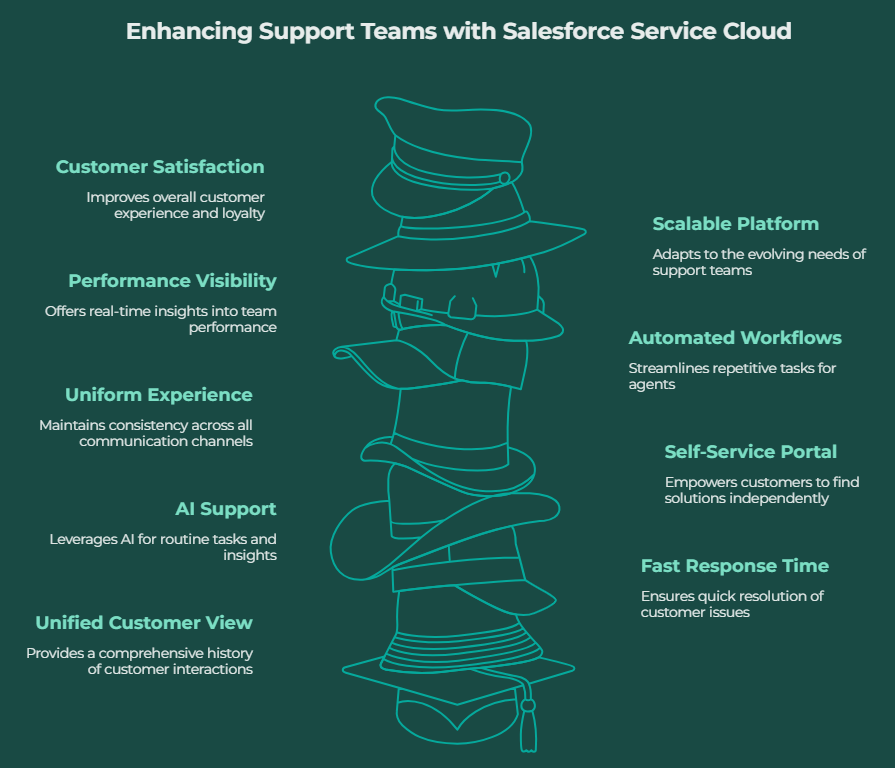
1. A Combined View of Every Customer Case
Now agents do not need to hunt through email threads, spreadsheets, and separate systems to understand a customer's history of customer. Salesforce Service Cloud now pulls out every case, purchase, and prior conversation into one and also makes it clearly visible the moment a ticket is opened.
This actually removes an important share of the friction that customers and agents both feel. With the full information that is available upfront, a problem is more towards to be solved in one conversation as compared to three.
2. Fast Response Time in Salesforce Service Cloud
Speedy response time in Salesforce Service Cloud comes directly from intelligent case routing that automatically assigns a ticket to the agent who is equipped to manage it, and it also completely based on skills and current workload.
Independent research from Gartner has reported that 91% of customer service leaders report pressure from their own leadership to modernise support operations and also speed up. It is also a clear sign that response time is now a main priority as compared to purely operational ones.
3. AI Support in Salesforce Service Cloud
AI- powered support in Salesforce Service Cloud is actually delivered through Einstein and Agentforce. It can resolve routine cases, draft replies, and also summarise long case histories.
This actually does not replace the support team, but it removes the repetitive first-line work so that the agents can focus on such cases that genuinely need empathy and negotiation.
4. Self-Service Portal Help To Reduce Ticket Volume
Most customers will choose to solve a problem by themselves as compared to sit in a queue, and an Experience Cloud self-service portal powered by Salesforce Knowledge can easily absorb a large share of incoming ticket volume even before it reaches an agent.
Salesforce Service Cloud makes it easy to maintain and to publish directly from the same system that agents use on a daily basis. So the answers that customers find are genuinely updated and stay more accurate.
5. A Uniform Experience Across Multiple Channels
Whether a customer emails, calls, messages on WhatsApp, or even opens a live chat window. Salesforce Service Cloud keeps the combined conversation history attached to one single case record, no matter from which channel it was started.
This consistency matters more than teams realise. A customer is more likely to repeat their issue after switching channels, and this mainly disrupts the process.
6. Automated Workflows for Repetitive Tasks
Case escalations, follow-up reminders, satisfaction surveys, and routine status updates can all directly run via Salesforce Flow, as compared to being dependent on manual agent effort every time.
This step frees up meaningful agent time. Teams that automate these steps find agents have more time of the day to spend on genuine problem- solving rather than admin.
7. Performance Visibility and Real-Time Reporting
Built-in Service Intelligence dashboards and real-time reports give team leads live visibility into case volume, backlog, average resolution time, and individual agent performance without waiting for a manual report.
This visibility helps a support manager to redistribute workload or even step in on a stalled case well before it gets escalated and gets converted into a formal complaint.
8. A Platform That Evolves With the Support Team
A five-person support desk or even a five-hundred-person contact centre can have opposite operational needs, but Salesforce Service Cloud is built to serve both without forcing a painful platform migration somewhere in between.
New agents, channels, and business units can be added within the current structure, which matters most for any organisation that is planning for meaningful growth.
9. Impact of Salesforce Service Cloud on Customer Satisfaction
The impact of Salesforce Service Cloud on customer satisfaction is the result of every other advantage on this list. Quick answers, consistent context, and working self-service options all compound into a better experience.
Set to Upgrade Your Support Operations?
The benefits of Salesforce Service Cloud for support teams are less related to a single standout feature, and it is more related to how these features compound over time. For example, quick response times mean less frustration among customers. This is the point where the advantages of Salesforce Service Cloud tend to support one another rather than acting in isolation.
Moving further, real-time visibility means small problems get caught early, instead of a customer complaining about it publicly. So, if you are searching for the best solution for your Salesforce Cloud, ProvidusCRM has marked its success in this work.
ProvidusCRM’s certified Salesforce consultants help UK support teams to design, configure, and roll out Service Cloud related to their day to day workflows. You should explore the Salesforce Service Cloud Consulting page or even call us to talk related to your challenges.
Conclusion
Choosing a support platform is to figure out whether that platform will reduce the daily friction both agents and customers feel during every single interaction. Salesforce Service Cloud solves this problem from multiple angles at once.
For a UK support team figuring out whether the switch is necessary, the answer mainly comes down to one question, how much is a disconnected and slow support experience silently affecting the output of customers? For growing teams, the biggest advantages of Salesforce Service Cloud are smoothness in the migration process and short-term cost.
Frequently Asked Questions
1. Is Salesforce Service Cloud suitable for small support teams, or only large contact centres?
Yes, Salesforce Service Cloud can support small teams and also scale as their needs grow.
2. How long does it typically take to implement Salesforce Service Cloud?
A simple implementation can eventually take four to eight weeks, but a complex rollout may take a few months.
3. Does Salesforce Service Cloud work alongside tools that support teams already use, like Slack or Outlook?
Yes, it basically integrates with tools such as Outlook, Slack, and Gmail, and it also allows teams to maintain their existing workflows.
4. What is the main difference between Salesforce Service Cloud and Salesforce Sales Cloud?
Sales Cloud actually manages sales pipelines and opportunities, while Service Cloud focuses on customer cases, support, and post-sale service.
5. Do individual agents need a Salesforce certification to use Service Cloud day to day?
No, agents only need basic training on the platform, while certifications are more relevant for technical and administrator teams.
